
Quick answer: What is a beat plan?
A beat plan is a structured schedule that assigns salespeople to territories, routes, outlets, visit dates, and visit frequencies so FMCG teams can organize retailer coverage and track planned versus actual visits.
If you're setting one up for the first time — or your current Excel sheet has turned into a mess of tabs and versions — this page walks through how beat planning works, what a usable plan should contain, and gives you a free, ready-to-use Excel template to start from instead of building one from a blank sheet.
What Is a Beat Plan in FMCG?
In practice, a beat plan answers four questions before a rep ever leaves the office: who is going, where they're going, in what order, and how often. It's the difference between a rep deciding each morning which shops to hit and a manager having already worked that out in advance.
Most FMCG companies build beat plans because retailer visits left to individual judgment tend to drift — some outlets get visited every week because they're easy or familiar, others get forgotten for a month because they're inconvenient. A beat plan fixes the schedule ahead of time so coverage doesn't depend on memory or habit, and so a manager can tell, after the fact, whether the plan was actually followed.
How Does Beat Planning Work?
Beat planning follows a fairly consistent operational flow, even though the exact terminology varies by company:
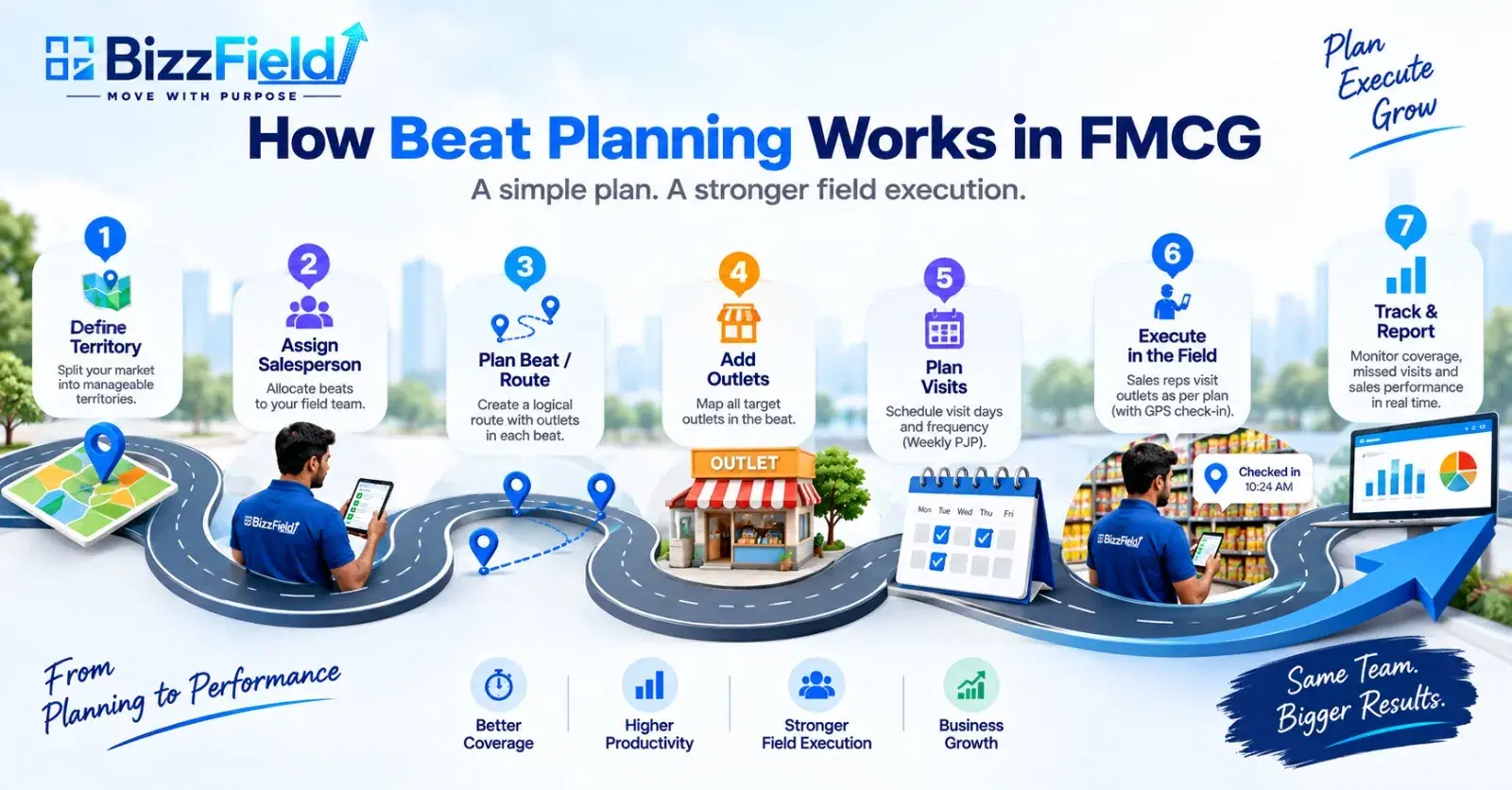
Here's what that looks like on the ground:
A sales representative, Rahul, is responsible for the Kanpur territory. Within that territory, his Monday beat covers Swaroop Nagar, where he's scheduled to visit 10–15 retail outlets. At each outlet, he books orders, checks stock, and handles merchandising. At the end of the day, his actual visits are logged and compared against what was planned. His manager reviews the gap — which outlets were covered, which were missed, and why — before the next cycle starts.
This loop (plan → execute → report → review) is what separates a beat plan from a loose list of “outlets to visit sometime.”
Beat vs Route vs Territory vs Outlet
These four terms get used interchangeably in casual conversation, but they mean different things operationally, and mixing them up makes a beat plan harder to build correctly.
| Term | What It Means |
|---|---|
| Territory | The larger geographical or business area assigned to a salesperson or team |
| Beat | A defined group or cluster of outlets planned for coverage, usually on a specific day |
| Route | The physical sequence or path followed between outlets within a beat |
| Outlet | The individual retailer, dealer, chemist, store, or customer location being visited |
| Salesperson | The field representative responsible for executing the assigned beat |
A territory can contain several beats. A beat is executed via a route. A route is made up of outlet-to-outlet visits. Keeping these distinct matters once you start building the actual plan, because “beat” and “route” fields need to hold different information.
Beat Plan vs PJP: What's the Difference?
PJP stands for Permanent Journey Plan. A PJP generally defines the recurring journey or visit structure — which beats a salesperson covers on which days, repeated weekly — while a beat plan organizes the specific outlets, routes, and visits executed within that structure.
A simple weekly PJP might look like this:
| Day | Beat |
|---|---|
| Monday | Beat A |
| Tuesday | Beat B |
| Wednesday | Beat C |
| Thursday | Beat A |
| Friday | Beat D |
| Saturday | Beat E |
The beat plan then fills in the detail underneath each of those slots: which outlets, in what sequence, at what frequency. It's worth noting that terminology isn't standardized industry-wide — some companies use “PJP” and “beat plan” almost interchangeably, others draw a sharper line between the recurring structure (PJP) and the executable daily plan (beat plan). Check how your organization already uses the terms before assuming one definition.
Why Is Beat Planning Important for FMCG Sales?
A structured beat plan changes several things about how a field team operates:
- Better outlet coverage— important outlets don't get repeatedly missed because a rep defaulted to familiar stops.
- More consistent visit frequency— high-priority outlets can be scheduled more often than low-priority ones, instead of frequency being left to chance. (There's no universal rule for how often any outlet should be visited — that depends on outlet priority, territory, and business cycle.)
- Better route organization — grouping geographically close outlets cuts down on backtracking.
- Clearer workload distribution — managers can see how outlets are spread across reps and days.
- Better field execution— reps know where to go, when, and what to do once they're there.
- Better management visibility — planned visits can be compared against actual visits to spot execution gaps.
For teams running this across a larger field force, it connects directly to how FMCG companies handle beat planning at scale. The difference shows up most clearly next to unstructured visits:
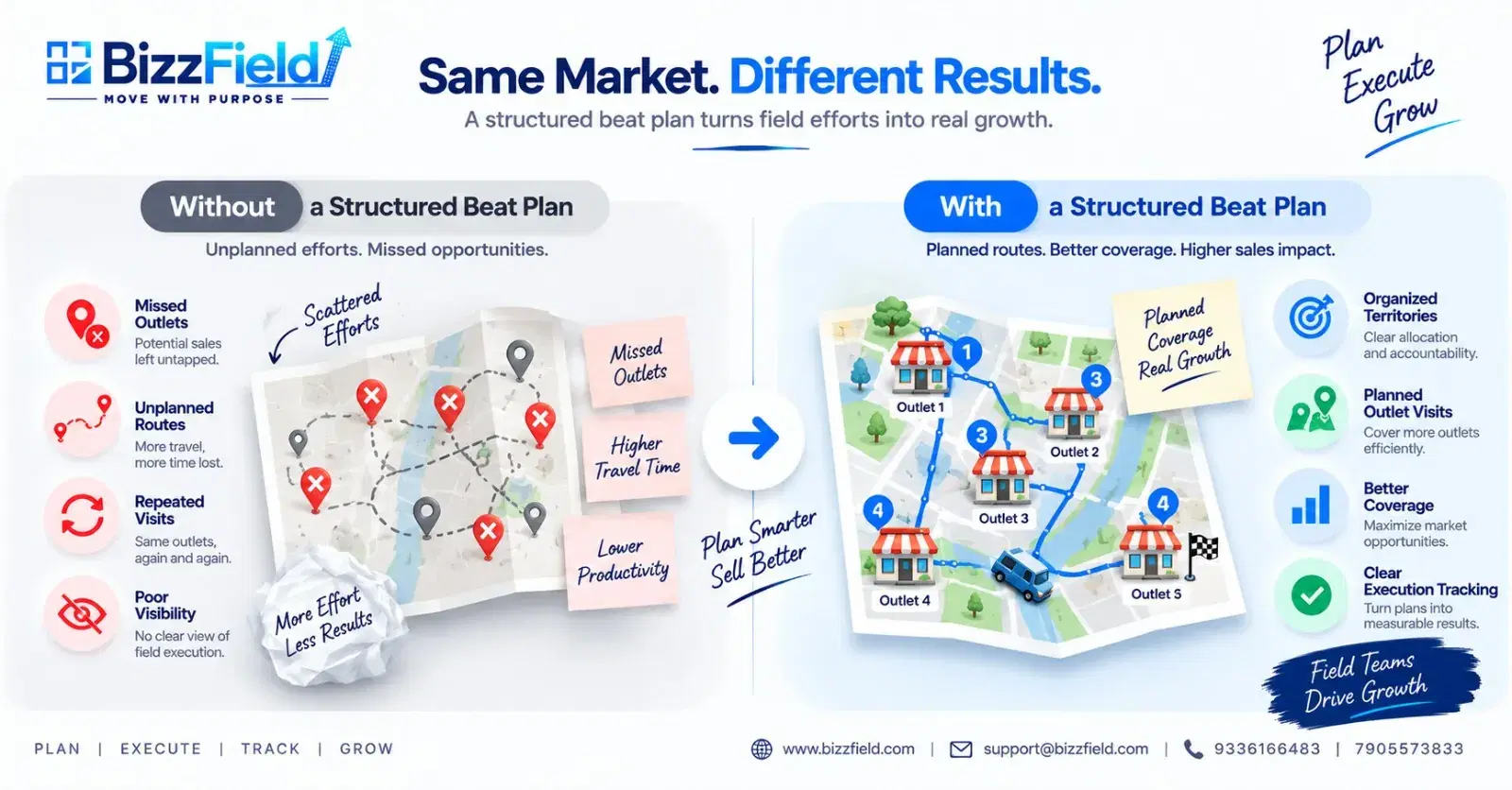
| Area | Unstructured Visits | Planned Beat System |
|---|---|---|
| Outlet coverage | Depends heavily on individual execution | Planned systematically |
| Route | Can change frequently | Structured |
| Visit frequency | Can become inconsistent | Defined |
| Manager visibility | Requires manual follow-up | Planned vs actual can be reviewed |
| Optimization | Mostly reactive | Can be improved using execution data |
What Should an FMCG Beat Plan Include?
A working beat plan needs more than an outlet list. These are the fields that make it usable day to day:
| Field | Purpose |
|---|---|
| Date | When the visit is planned |
| Day | Monday–Saturday, etc. |
| Salesperson | Person responsible |
| Territory | Assigned geographical area |
| Beat / Route | Planned route |
| Outlet Code | Unique outlet identifier |
| Outlet Name | Retailer/customer name |
| Outlet Type | Retailer, dealer, chemist, etc. |
| Priority | Business importance |
| Visit Frequency | Weekly, fortnightly, etc. |
| Visit Sequence | Order of visits within the beat |
| Planned Visit | Whether the visit is scheduled |
| Actual Visit | Whether the visit occurred |
| Visit Status | Completed, missed, etc. |
| Order Value | Sales/order outcome |
| Exception / Reason | Why a planned visit wasn't completed |
| Next Visit Date | Next planned interaction |
| Remarks | Additional field notes |
These fields are exactly what's built into the free template below.
FMCG Beat Plan Example
Here's a concrete version of how this plays out. A sales rep manages 60 retail outlets. Instead of visiting them in whatever order feels convenient, the manager divides them into six geographical beats:
Monday → Beat A · Tuesday → Beat B · Wednesday → Beat C · Thursday → Beat D · Friday → Beat E · Saturday → Beat F
Within each beat, outlets are arranged in a practical visit sequence rather than a random order. The manager then reviews planned visits against actual visits, order activity, and any exceptions — missed outlets, closed shops, rescheduled visits — to see how well the plan held up that week. This isn't a universal structure every FMCG company follows exactly, but it's a representative pattern of how beat planning gets applied in practice.
Free FMCG Beat Plan Template Excel — What You'll Get
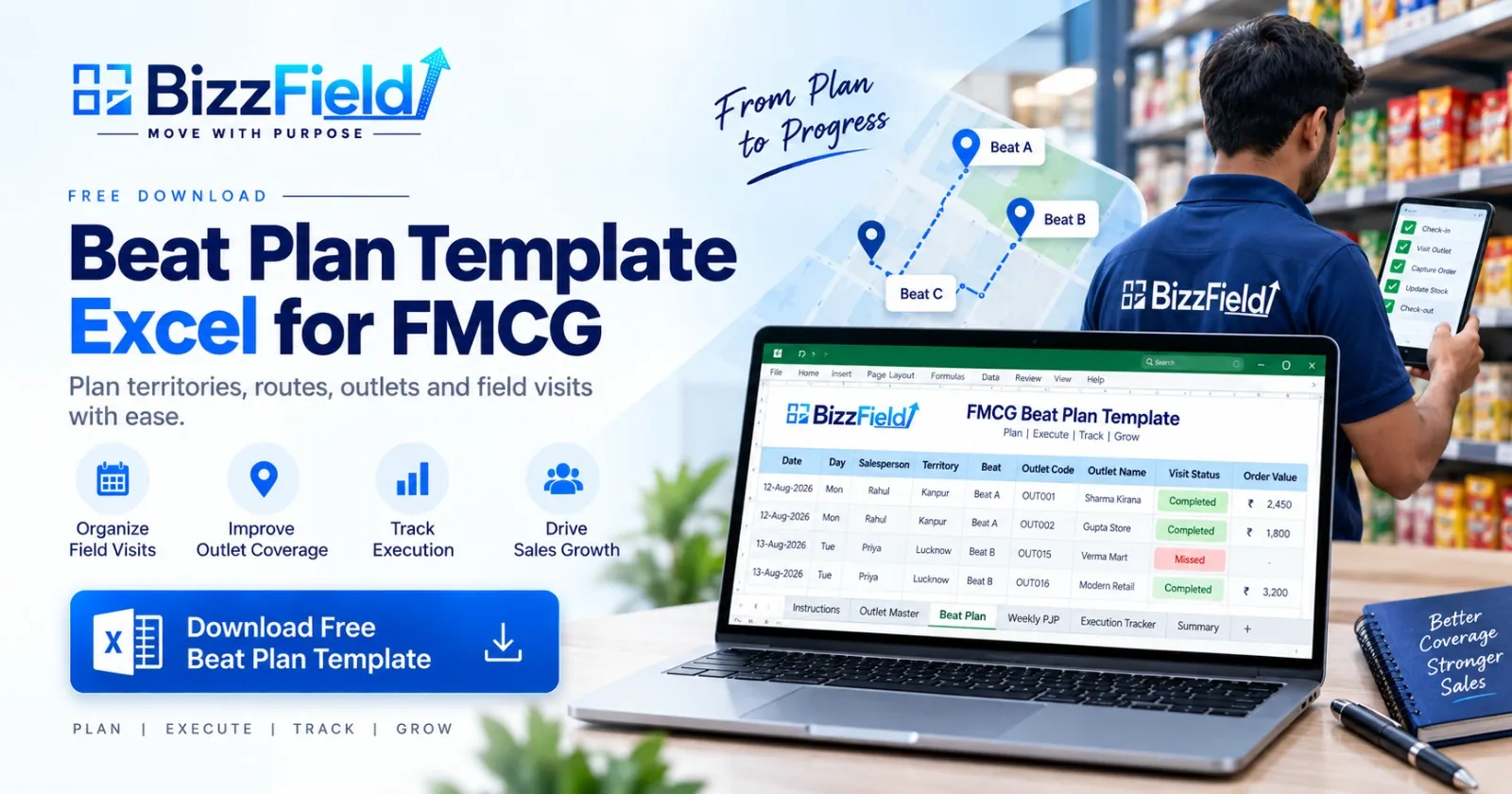
Excel (.xlsx) · 46 KB · 6 sheets · no sign-up required
The free template is built as a working planning tool, not a blank grid. It includes six sheets:
| Sheet | What It's For |
|---|---|
| 1. Instructions | Explains what a beat plan is, how to use the workbook, and what each sheet and column means |
| 2. Outlet Master | Central outlet database — codes, names, area, type, priority, assigned salesperson |
| 3. Beat Plan | The main planning sheet — date, salesperson, territory, beat, outlets, sequence |
| 4. Weekly PJP | A simple recurring weekly planner mapping salespeople to beats by day |
| 5. Execution Tracker | Records planned vs actual visits, order value, and exceptions |
| 6. Summary | Coverage percentage, missed visits, and total order value at a glance |
You can use it to organize territories, maintain a clean outlet list, assign beats, define visit frequency, record planned vs actual visits, track missed visits and order values, and review coverage percentage week over week.
How to Create a Beat Plan in Excel
- Create your outlet master. List every active outlet with code, name, location, and type.
- Assign territories. Group outlets by the salesperson or geographical area responsible for them.
- Group outlets into beats. Cluster outlets geographically so a beat covers a sensible travel area.
- Define visit frequency. Decide how often each outlet or beat needs coverage, based on priority and business need.
- Assign beats to days. Build the weekly PJP structure — which beat runs on which day.
- Sequence outlets. Arrange visits within each beat in a practical travel order.
- Add execution tracking. Record planned vs actual visits so gaps are visible, not assumed.
- Review and optimize. Use the tracker to spot missed outlets, overloaded days, and poor sequencing, then adjust the next cycle.
Common FMCG Beat Planning Mistakes
- Too many outlets in one day— creates a schedule reps can't realistically complete.
- Ignoring geography — outlets grouped by convenience rather than location lead to unnecessary travel.
- Treating every outlet equally — high-value outlets often need different coverage than low-priority ones.
- No defined visit frequency — some outlets get over-visited while others are missed entirely.
- An outdated outlet master — inactive or relocated outlets stay in the plan and waste visit slots.
- No planned-vs-actual tracking— without it, managers don't actually know whether the plan is being followed.
- Static planning — a beat plan built once and never revisited stops matching current market conditions.
- Poor version control — multiple Excel copies circulating by email or WhatsApp create confusion about which plan is current.
When Is Excel Enough — And When Isn't It?
Excel is a genuinely good starting point for beat planning. It works well when:
- The team is small
- You're doing initial planning
- Weekly schedules are simple
- Outlet lists are short and manageable
- Planning is handled manually by one or two people
The friction shows up as the team scales. Route management software or a broader SFA platform becomes more useful once teams get larger, outlet databases grow, plans change frequently, multiple managers need to see the same data, planned-vs-actual visibility becomes hard to maintain by hand, GPS or location verification is required, or management needs centralized reporting instead of consolidating spreadsheets from different reps. None of this means Excel stops working overnight — it means the manual effort of keeping it accurate starts costing more time than it saves.
Manage Beat & Tour Planning With BizzField
Excel helps you create the plan. BizzField helps you manage the execution.
Once beat planning outgrows what a spreadsheet can track cleanly, BizzField's tour plan management tools help teams connect planned routes with actual field execution. Managers can see whether assigned beats were completed, where coverage gaps occurred, and how the plan is performing across the team — without piecing that picture together from separate reports.
Instead of maintaining separate planning, attendance, and reporting files, teams can manage these activities in one connected system. The BizzField FMCG platform ties that beat and tour planning directly to order booking and attendance, so the plan and what actually happened on the ground stay in the same place.
If your team is still comfortable with Excel, there's no need to change anything yet. If planned-vs-actual visibility, GPS verification, or centralized reporting across multiple managers is becoming the bottleneck, that's usually the point worth a closer look.
Excel (.xlsx) · 46 KB · 6 sheets · no sign-up required
Frequently asked questions
It's a pre-set schedule of which outlets a salesperson visits, on which days, and in what order — built so that retailer coverage is planned in advance rather than decided rep-by-rep each morning, and so managers can check planned visits against what actually happened.
Start with an outlet master, assign territories, group outlets into geographical beats, define visit frequency, assign beats to days of the week, sequence outlets within each beat, add a tracker for planned vs actual visits, and review the plan regularly to adjust for coverage gaps.
At minimum: date, salesperson, territory, beat/route, outlet code and name, outlet priority, visit frequency, visit sequence, planned and actual visit status, order value, and a field for exceptions or reasons a visit wasn't completed.
A PJP (Permanent Journey Plan) generally defines the recurring weekly structure — which beat runs on which day — while a beat plan organizes the specific outlets, routes, and visits executed within that structure. Some companies use the two terms almost interchangeably; others separate them more strictly.
It depends on outlet priority, territory size, sales cycle, and the specific business's requirements — there's no single visit frequency that applies universally. High-priority outlets are typically visited more often than lower-priority ones, but the exact cadence is a business decision, not a fixed rule.
Most track it by comparing planned visits against actual visits — logged manually in Excel for smaller teams, or captured automatically through GPS-verified check-ins in an SFA platform for larger ones. The comparison is what reveals missed outlets and coverage gaps.
Yes. Excel works well for small teams, simple weekly schedules, and manual planning. It becomes harder to manage as outlet databases grow, plans change frequently, multiple managers need shared visibility, or planned-vs-actual tracking needs to happen automatically rather than by hand.
Software adds things a spreadsheet can't easily do on its own: GPS-verified visit confirmation, real-time planned-vs-actual comparison, centralized visibility across multiple managers, and reporting that updates automatically instead of being compiled from separate files.
WRITTEN BY
Urvashi Srivastav
VP, Business Management & Client Relationships
VP at BizzField, working across business management and client relationships — building strong partnerships, streamlining operations and driving business growth.
Connect on LinkedIn