

BizzFieldCRM

TEAM MANAGEMENT

Organize Your Sales Team Around The Hierarchy You Actually Run.

BizzField CRM models your real reporting structure — not a spreadsheet org chart — so managers automatically see their team's leads, contacts and deals, and reps see only their own.
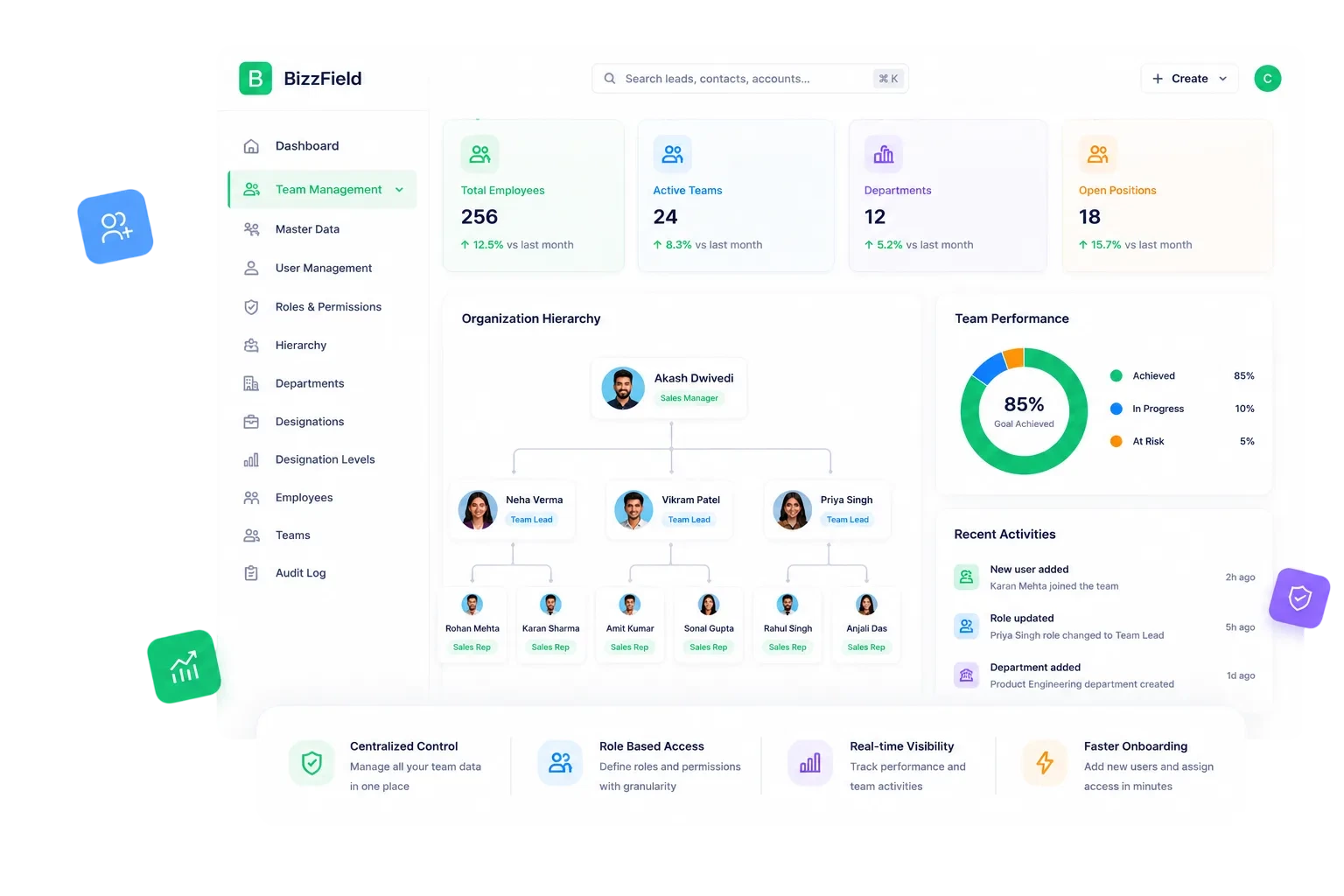
BizzField CRM team management screen showing team members with roles, reporting hierarchy and assigned territories
3Hierarchy master data types
25CRM modules under one permission model
1Screen for profile and permission setup
2Built-in role templates
THE PROBLEM

The Org Chart Lives in a File Nobody Opens

Reporting lines, job titles and access rights drift apart the moment they are managed outside the CRM itself.

Reporting lines live in a spreadsheet: the org chart is out of date within weeks of the last reshuffle.
Everyone sees everything: without hierarchy-aware visibility, a new rep can open every account in the company.
Job titles are free text: the same designation appears five different ways across records.
Manager access means re-sharing files: granting visibility into a new report means manually re-sharing folders.
Onboarding starts from scratch: there is no template to assign sensible default permissions on day one.
No single place to see who reports to whom inside the system your team actually sells from.
FEATURE BY FEATURE

How BizzField CRM Structures Your Team

Four capabilities that turn your reporting structure into the backbone of data visibility, not a static chart.

01

A Live Org Chart, Not a Spreadsheet

Model Your Real Reporting Structure
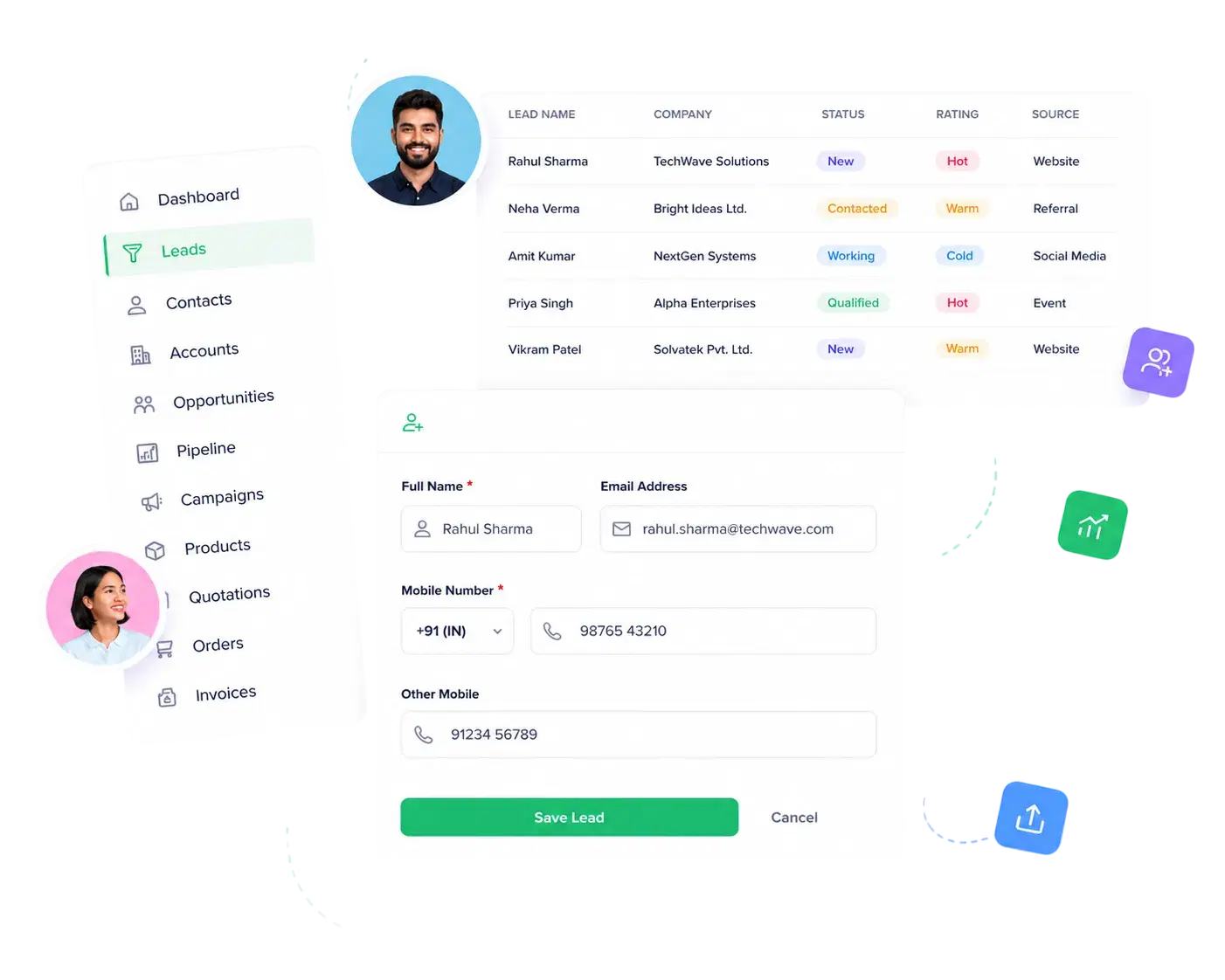
Model Your Real Reporting Structure

The User Hierarchy view shows the full reporting-line structure exactly as it runs, with every user sitting under a manager to form a true org chart inside the CRM.

Dedicated User Hierarchy view showing the full reporting-line structureEvery user sits under a manager, forming a true org chart inside the CRMHierarchy drives data visibility automatically across Leads, Contacts, Accounts and OpportunitiesReassigning a report updates the structure once — every downstream visibility rule follows
02

Department, Designation and Designation Level

Master Data That Mirrors Your Org
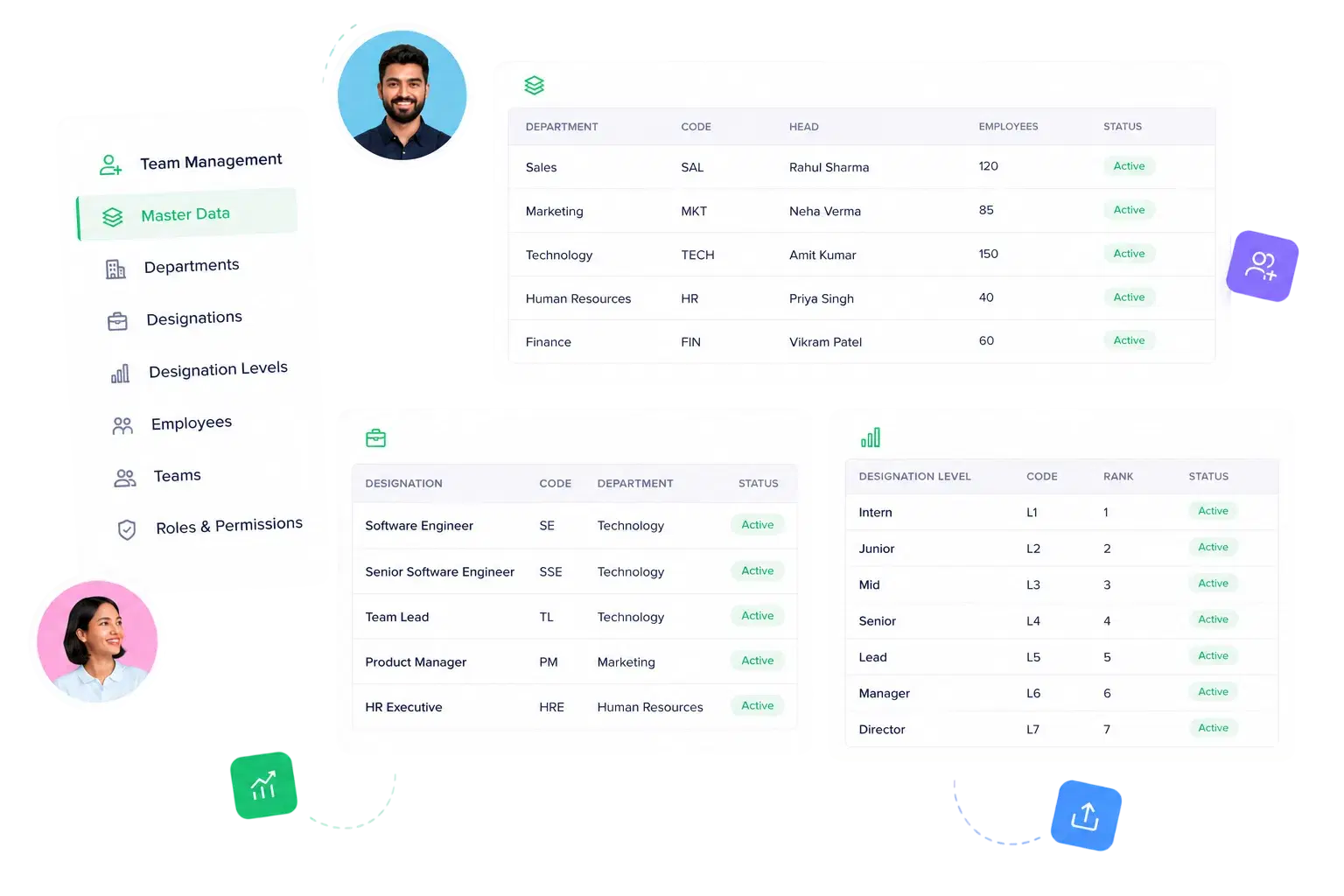
Master Data That Mirrors Your Org

Department, Designation and Designation Level are first-class, fully editable records — not hardcoded dropdowns bolted onto a user form.

Department master data with full CRUD for every business unitDesignation master data to define job titles across the companyDesignation Level master data to rank seniority within a designationChanges to master data reflect instantly wherever users are tagged
PART TWO — LIVE WITH IT

What Your Team Feels On Every Ordinary Day

Once the structure is in place, it stops being an admin task and starts doing the work — onboarding gets faster, and visibility stops needing anyone's attention.

01

Identity and Access, Together

One Screen for People, Profiles and Access
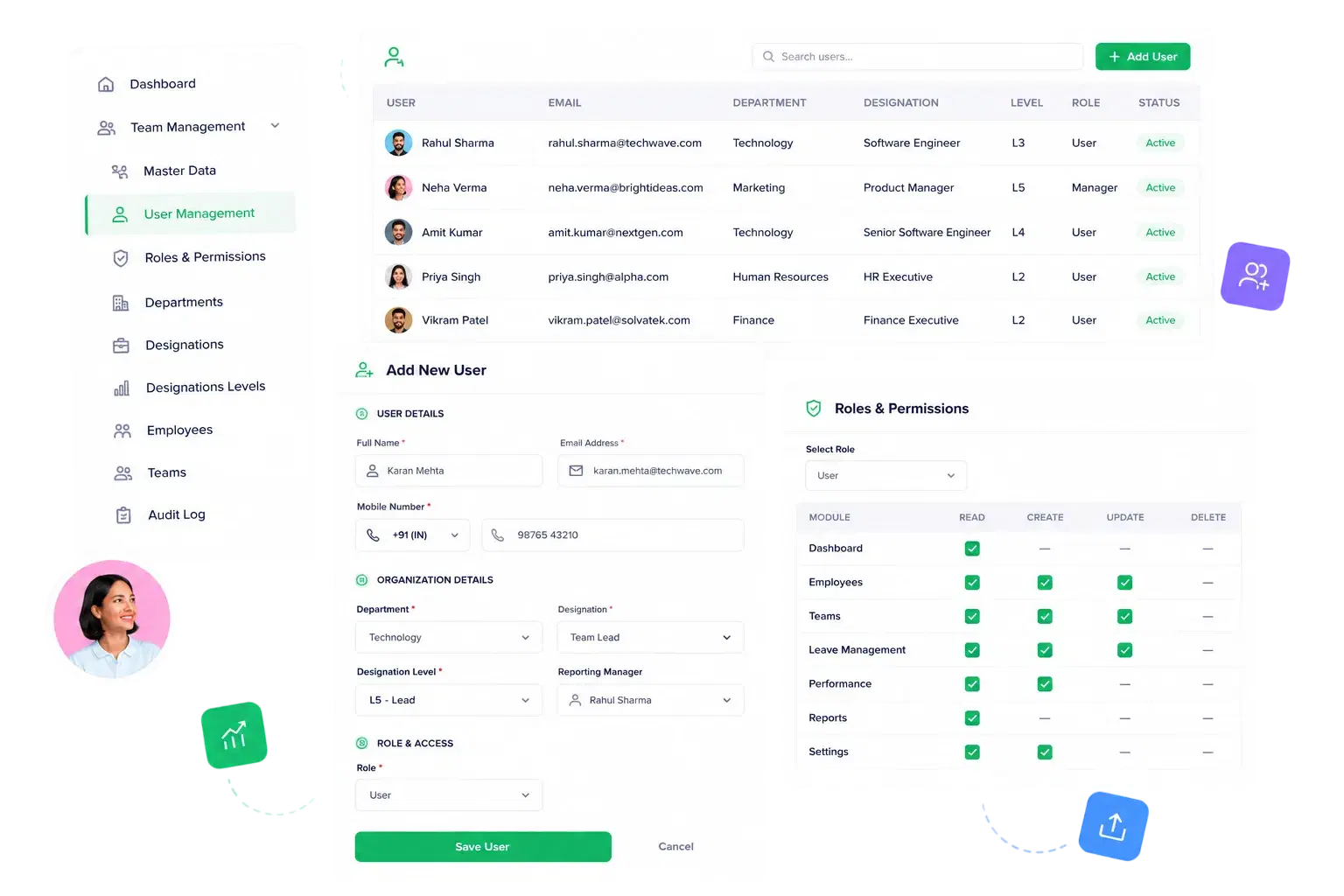
One Screen for People, Profiles and Access

User Management consolidates identity and access instead of spreading it across multiple settings pages, so onboarding a new hire is one workflow, not five.

Assign user profile details and permissions from a single User Management screenPair users with Department, Designation and Designation Level in one placeWorks alongside Roles & Permissions for Read/Create/Update/Delete control per moduleBuilt-in User and Manager role templates speed up onboarding new hires
02

Managers See Their Team. Reps See Their Own.

Hierarchy-Aware Visibility, by Default
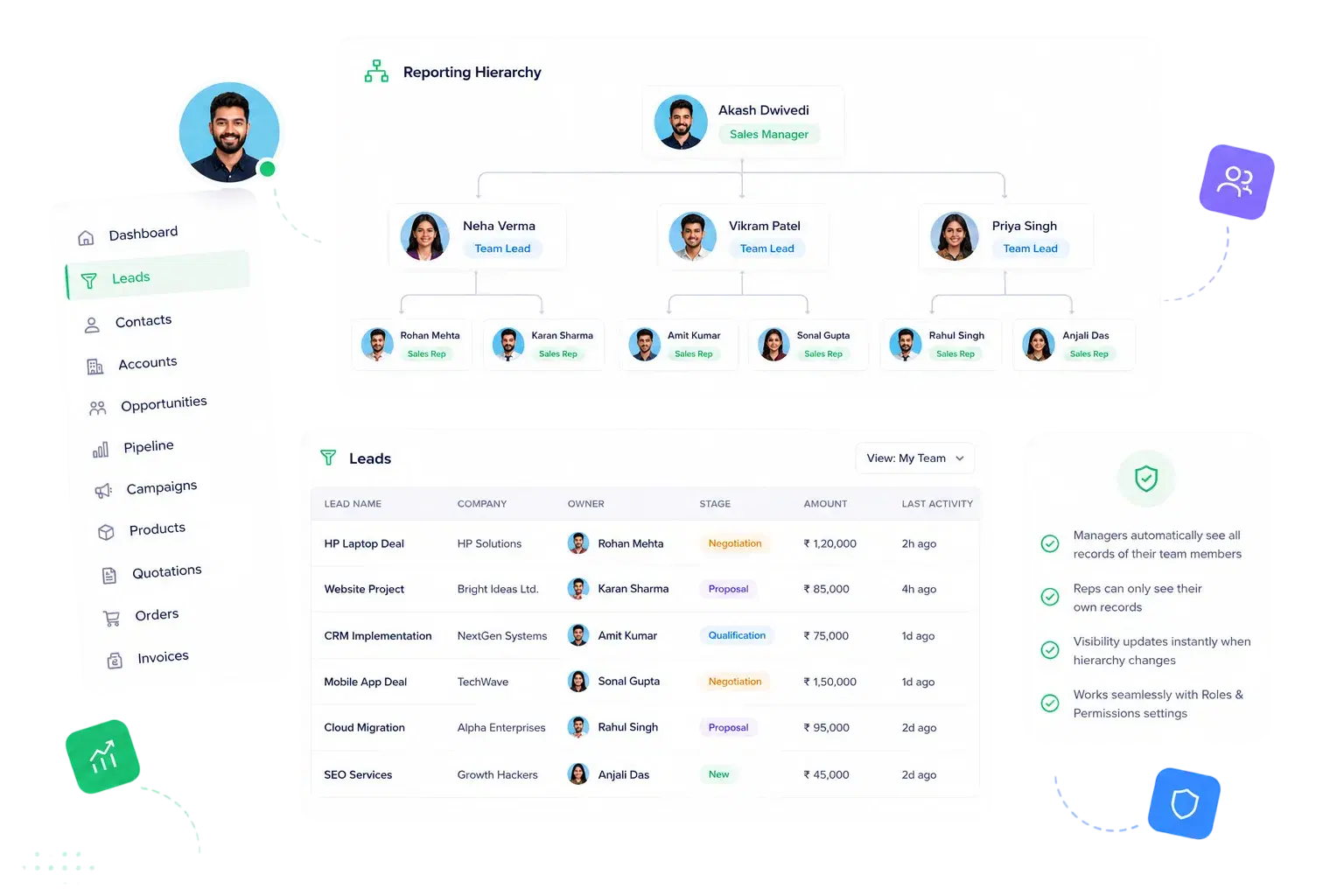
Hierarchy-Aware Visibility, by Default

Data visibility follows the reporting line automatically, so access rules never drift out of sync with who actually manages whom.

Hierarchy-aware data visibility — managers see their team's records, reps see their ownNo manual filtering or sharing rule needed to scope what a rep can seeAccess follows the hierarchy automatically as reps are reassignedReinforces Roles & Permissions instead of duplicating its logic
WHY BIZZFIELD

Why Sales Leaders Choose BizzField for Team Structure

A reporting line that actually gates access, not just an org chart graphic.

Hierarchy Is Structural, Not CosmeticThe reporting line you set up actually gates what each user can see across Leads, Contacts, Accounts and Opportunities — it is not just an org chart graphic.
Three-Tier Org Master DataDepartment, Designation, and Designation Level are managed independently with full CRUD, so your structure can grow in depth without breaking existing records.
Single Screen, No Context SwitchingProfile details and permission assignment live on one User Management screen instead of being scattered across separate admin pages, cutting the room for a missed step.
Granular Access Down to the ReportRoles & Permissions pairs with your hierarchy to control Read/Create/Update/Delete independently across CRM modules, master data, and each of the 14 reports.
Built-In Role Templates Reduce MisconfigurationUser and Manager role templates give every new hire a sensible, consistent permission baseline out of the box, instead of ad-hoc access nobody can audit later.
Access Corrects Itself When The Org ChangesMove a rep to a new manager and visibility recalculates immediately — there's no stale permission left behind from a reporting line that no longer exists.
PROVEN STRUCTURE

What Your Org Looks Like Inside BizzField

The reporting structure and access model your team gets from day one.

3Hierarchy Master Data TypesDepartment, Designation, Designation Level
25CRM Modules Under One Permission Modelconsistent access everywhere
1Screen for Profile and Permission Setupno context switching
2Built-In Role TemplatesUser and Manager, ready on day one
FAQ

Team Management — Questions Sales Leaders Ask

Yes. The User Hierarchy screen shows who reports to whom, and record visibility across Leads, Contacts, Accounts and Opportunities follows that same structure.

Not currently — there is no dedicated quota/target module today. Performance is tracked through the Sales Rep Performance and Department Performance reports instead.

They are three independent master data types with full CRUD: Department groups users by business unit, Designation defines job titles, and Designation Level ranks seniority within a designation — all reflected instantly wherever a user is tagged.

Hierarchy-aware data visibility means a manager automatically sees the records owned by everyone reporting to them, while an individual rep sees only their own — with no manual sharing rule to configure.

No. Bizzfield ships with built-in User and Manager role templates that give new accounts sensible default permissions, which you can then fine-tune per module from the same User Management screen.

Give Your Team the Structure It Already Has, Inside the CRM

See how User Hierarchy, Department, Designation and Designation Level master data and role templates come together in one screen — and how fast a new hire goes from added to fully scoped.