

TASK MANAGEMENT
Sticky Notes Forget. BizzField Doesn't.
Compare the two side by side: a follow-up scribbled on a notepad versus a task with a real status, a real priority, and a real owner, tied straight to the deal it affects. BizzField ends the manual version for good.
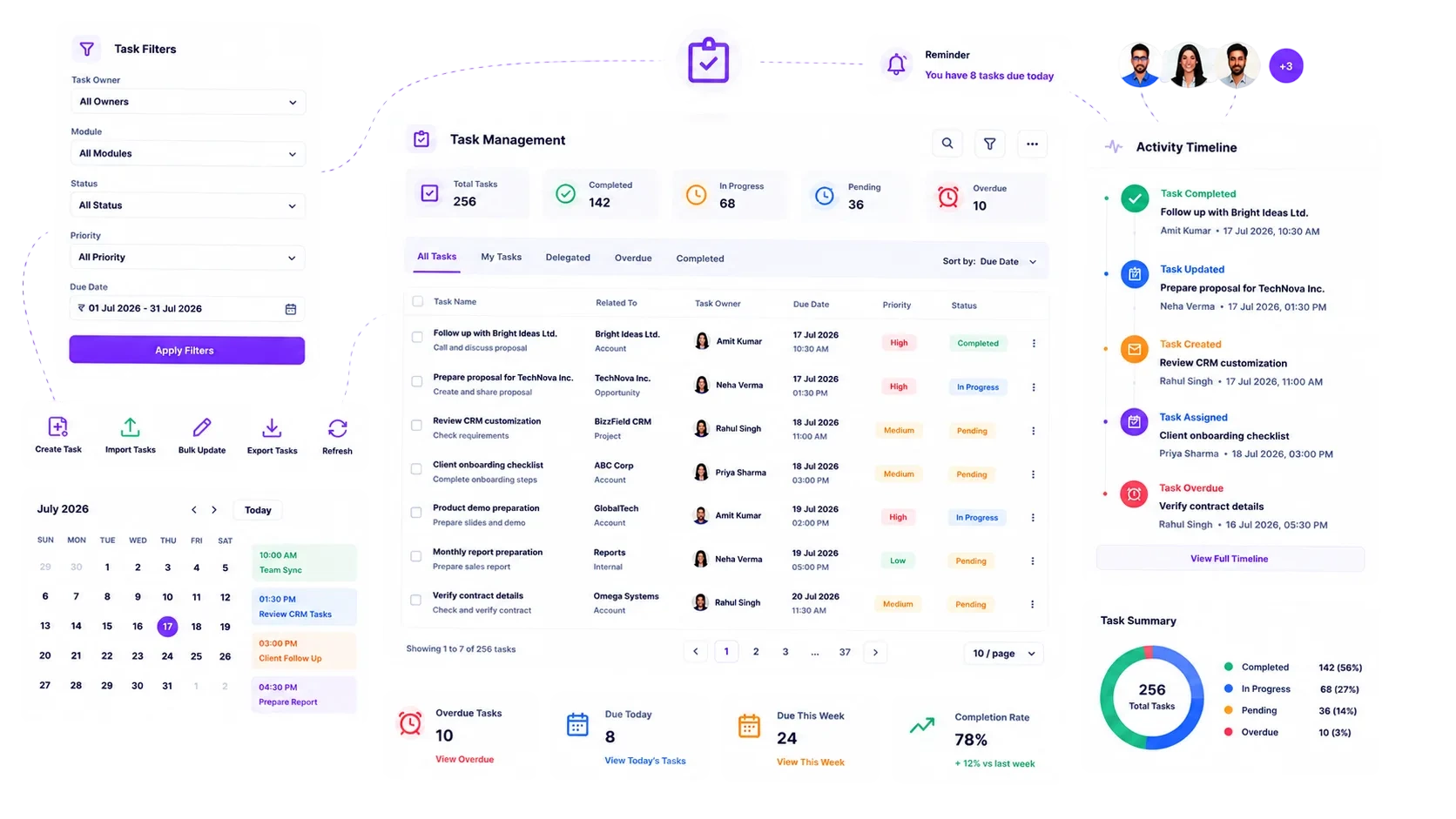
What Changes When Every Task Has A Home
Put a sticky-note follow-up next to a BizzField task and the difference isn't cosmetic — it's whether anyone besides you can see it, prioritize it, or prove it happened.
Where A Task Lives
Written in a personal notebook, a phone's Notes app, or a WhatsApp reminder to yourself.
Logged as a task with a Task Type, Status and Priority, linked directly to the Lead, Contact, Account or Opportunity it concerns.
Who Can See It's Overdue
Only the rep who wrote it down, and only if they remember to check.
Anyone with hierarchy-based visibility into that rep's work, the moment the due date passes.
Deciding What To Work On Next
Whichever note happens to be on top, not necessarily the one that matters most.
Four priority levels — Low, Medium, High, Urgent — sort the workload for you.
What Happens After It's Done
The note gets thrown away, taking the record of the follow-up with it.
The completed task posts automatically to the linked record's activity timeline, permanently.
Reviewing The Team's Workload
A status-update call, or a manually compiled list before the pipeline review.
A sortable table for triage, or a card view grouped by task type for a fast scan — both always current.
How BizzField Task Management Solves It
A defined lifecycle, a direct link to the deal, and two ways to see the workload.
Every Task Moves Through a Defined Lifecycle
Structured Task Workflow, Not a To-Do List
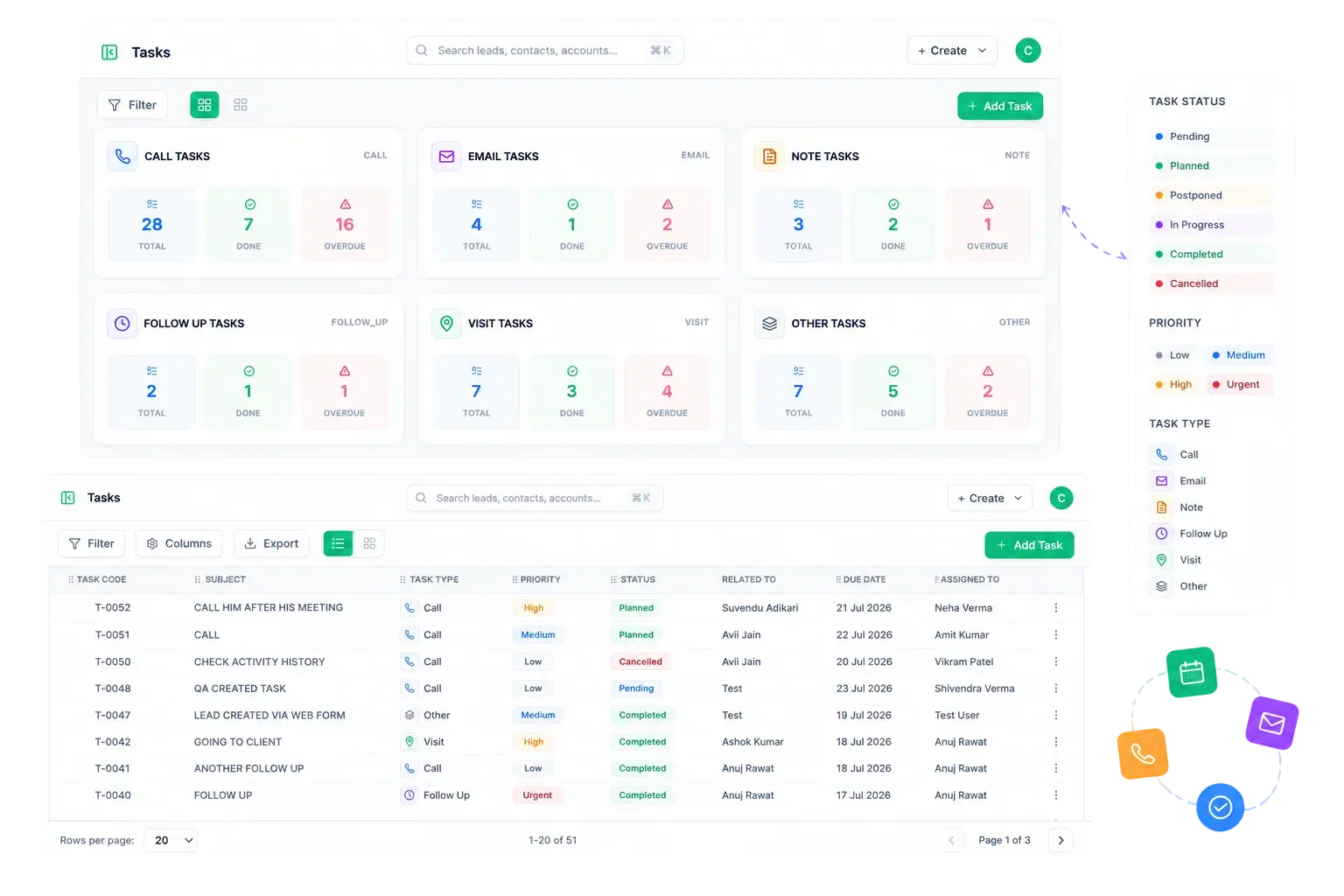
Tasks carry a real status, priority and type, so nothing sits in limbo and every rep logs work the same way.
Never a Floating Reminder
Every Task Connects Back to the Deal
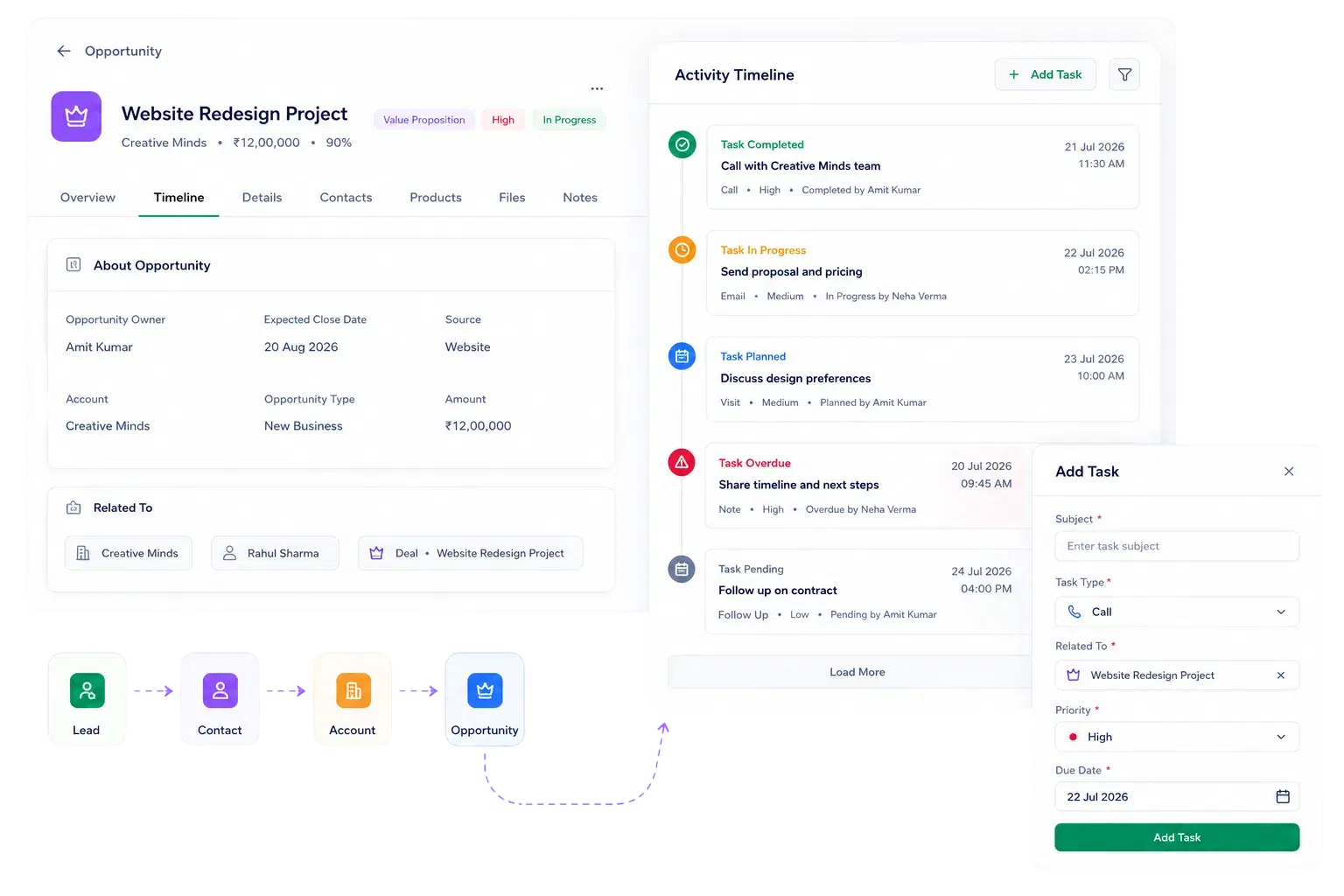
Tasks are tied to the Lead, Contact, Account or Opportunity they exist to move forward, and feed straight into that record's activity timeline.
The Operational Layer Behind the Sales Process
Built for Follow-Up Discipline Across the Team
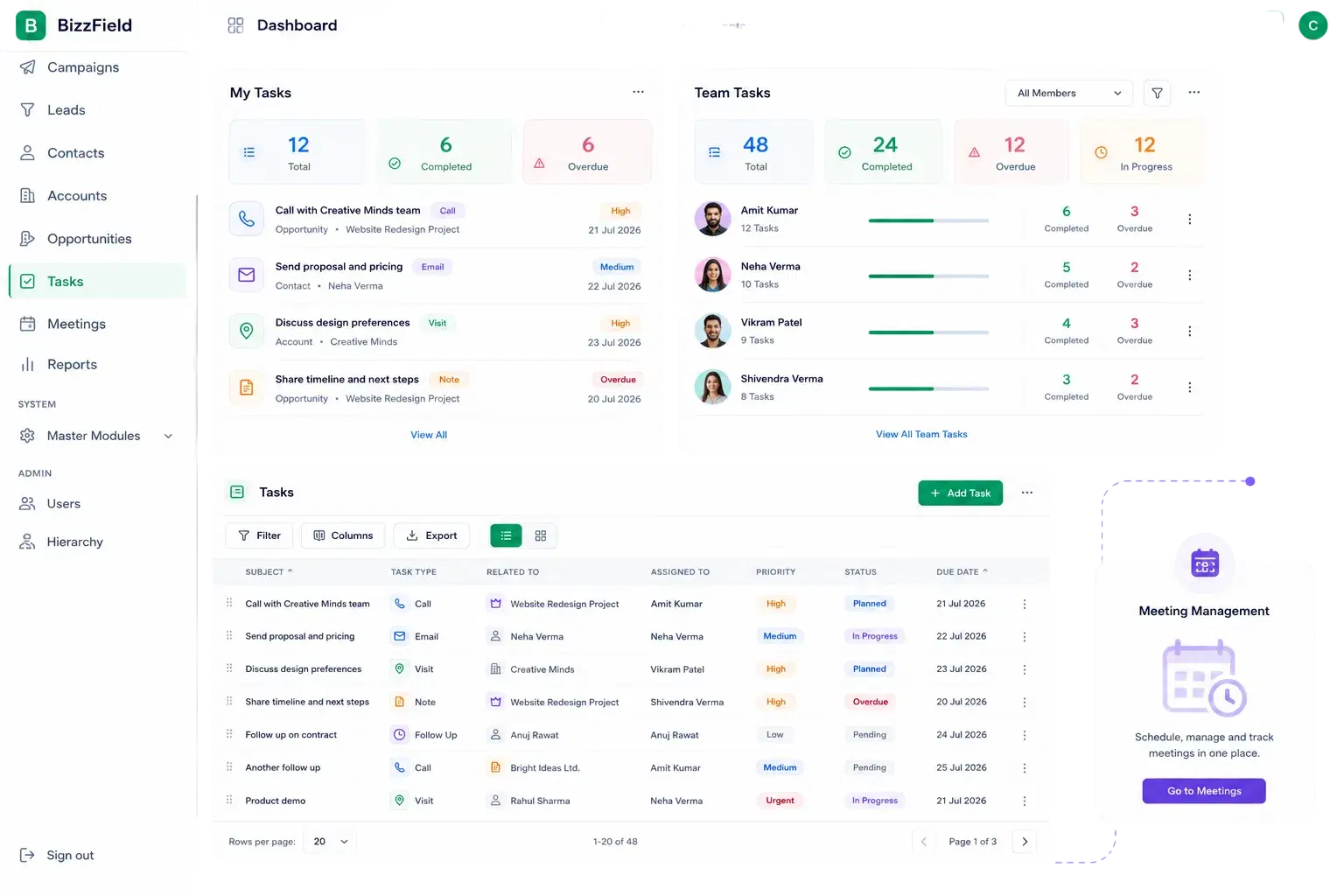
A dashboard widget, hierarchy-aware visibility, and a sortable backlog turn task discipline from a hope into a habit.
A Table for Depth, a Card View for Speed
Two Views Built for Different Moments
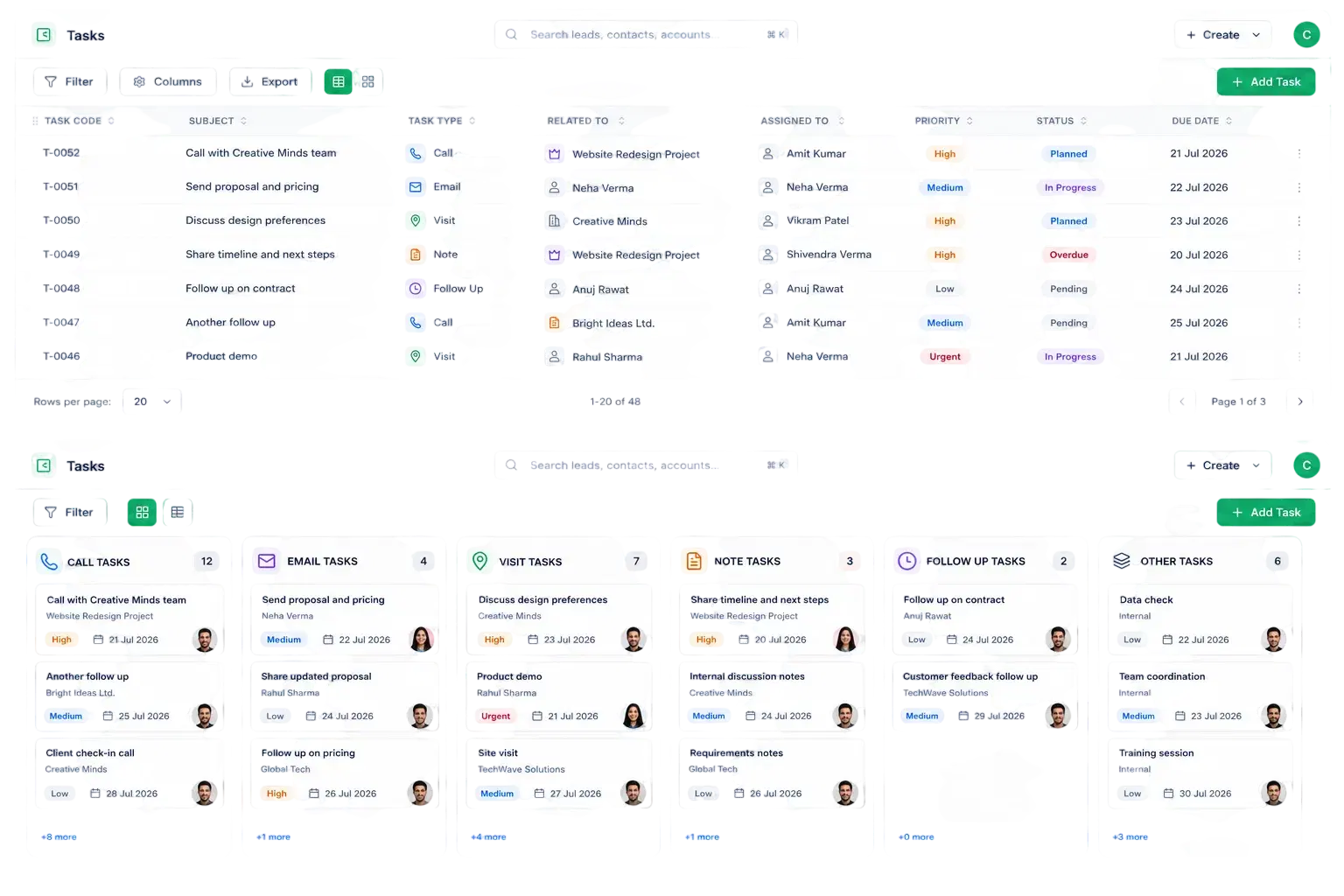
The same task data renders as a sortable table for detailed work or a card view grouped by task type, so reps pick the view that fits the moment instead of scrolling one long list.
Why Sales Teams Choose BizzField Task Management
Follow-ups that stay attached to the deal, and visible to the whole team.
Results. Not Promises.
What teams see once tasks stop living in someone's head.
Task Management — Questions Sales Teams Ask
Tasks can be typed as Call, Email, Note, Follow Up, Visit, or Other, and linked back to the Lead, Contact, Account, or Opportunity they relate to.
Yes. Alongside the standard table, BizzField offers a card view that groups open tasks by type for faster daily triage.
Yes. Hierarchy-based data visibility means managers automatically see their team's tasks, not just their own, with no manual sharing rules to configure.
Every task linked to a Lead, Contact, Account or Opportunity feeds directly into that record's chronological activity timeline, so nothing needs to be logged twice.
Yes. Tasks cover calls, emails, notes, follow-ups and visits, while Meetings are a separate, dedicated module — so scheduled meetings and general to-dos never get mixed together.
Give Every Follow-Up a Home
Stop losing follow-ups to sticky notes and personal reminders. See how BizzField's Task Management keeps your whole team's work visible, prioritized, and tied to the deal it actually affects.