

ROLES & PERMISSIONS
Control Exactly Who Sees And Does What.
Every role in BizzField CRM gets independent Read, Create, Update and Delete access per module, per master data set and per report — enforced at the route and the UI, not just displayed on a settings page.
Access Rules Nobody Actually Enforces
A shared login and good intentions are not an access control policy.
How BizzField CRM Locks Down Access
Three capabilities that turn permissions from a settings page into an enforced control.
Every Module, Its Own Rule Set
Module-Level Permission Grid
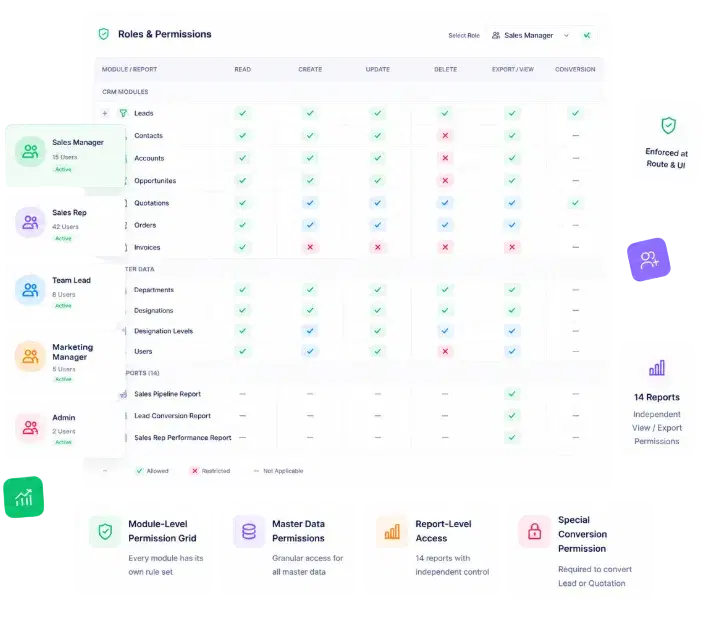
Every module in the CRM gets its own independent access rule set, not a single blanket role tag applied across the whole system.
Start From a Baseline, Not a Blank Slate
Ready-Made Role Templates
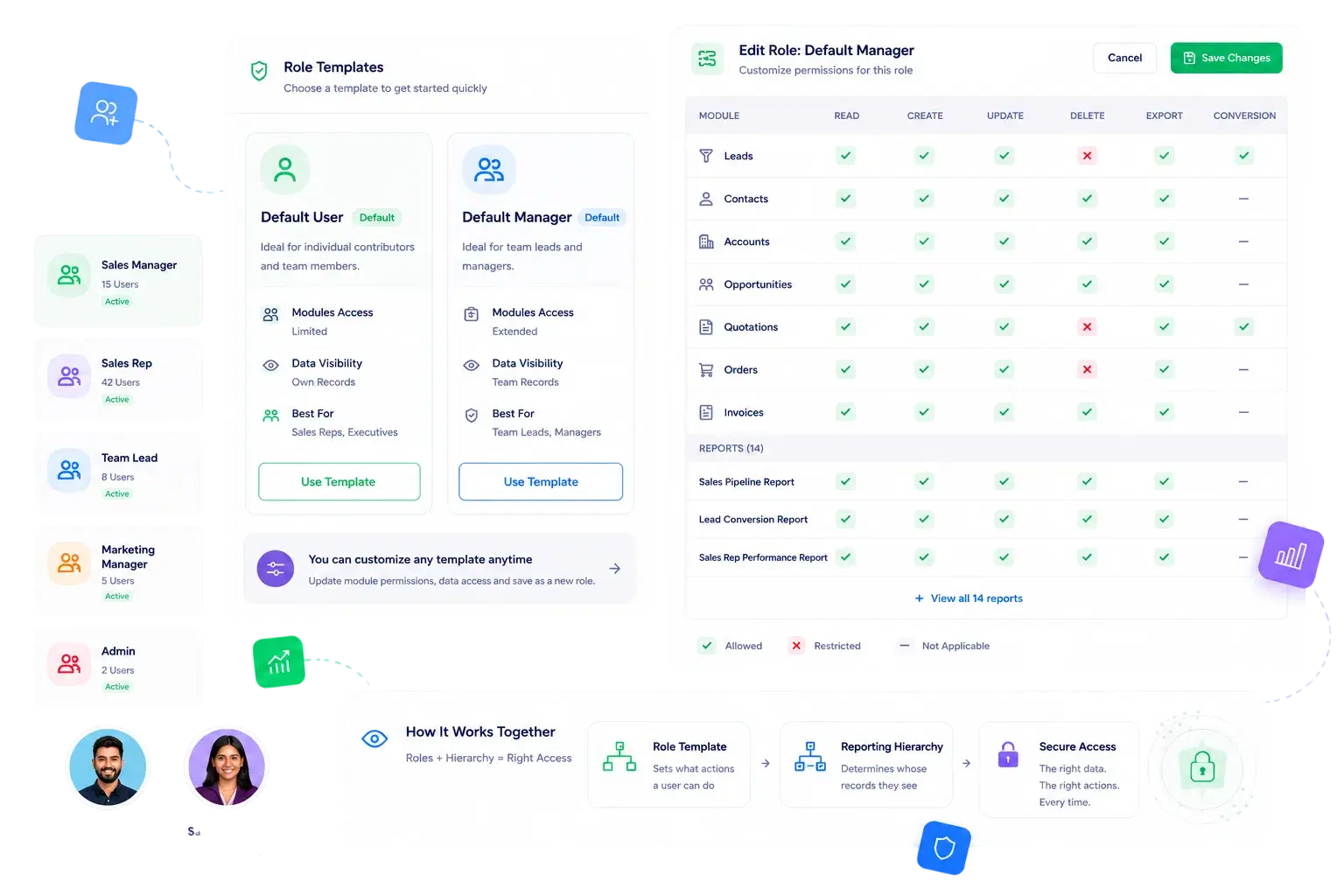
Default User and Manager templates ship out of the box, mapping to sensible day-one access for reps versus managers.
Checked Where It Matters, Not Just Displayed
Enforcement That Actually Holds
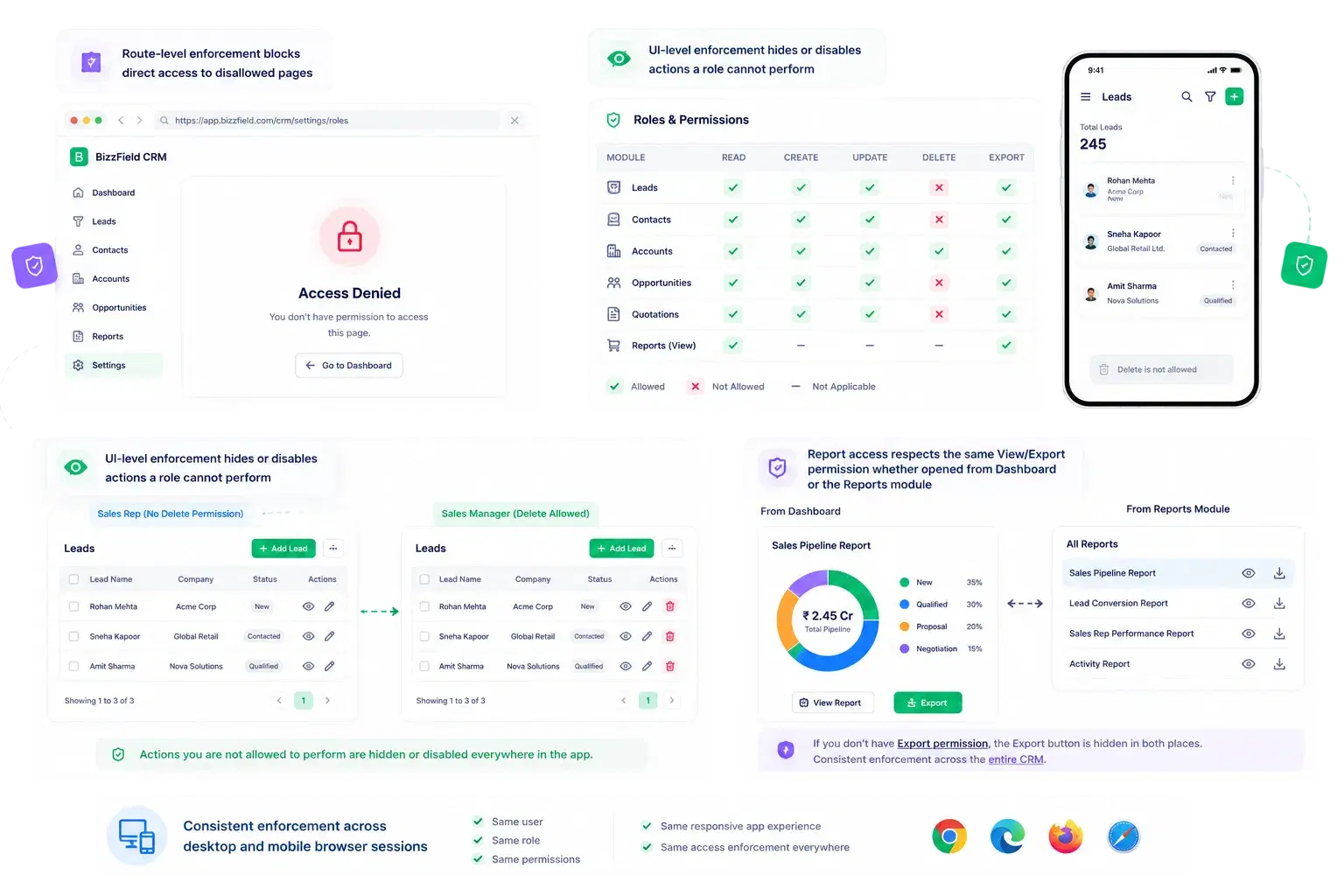
Permissions are not just a settings screen — they are checked at both the route and the UI, so restricted actions are hidden, not just blocked after the fact.
Distinct From Standard Edit Access
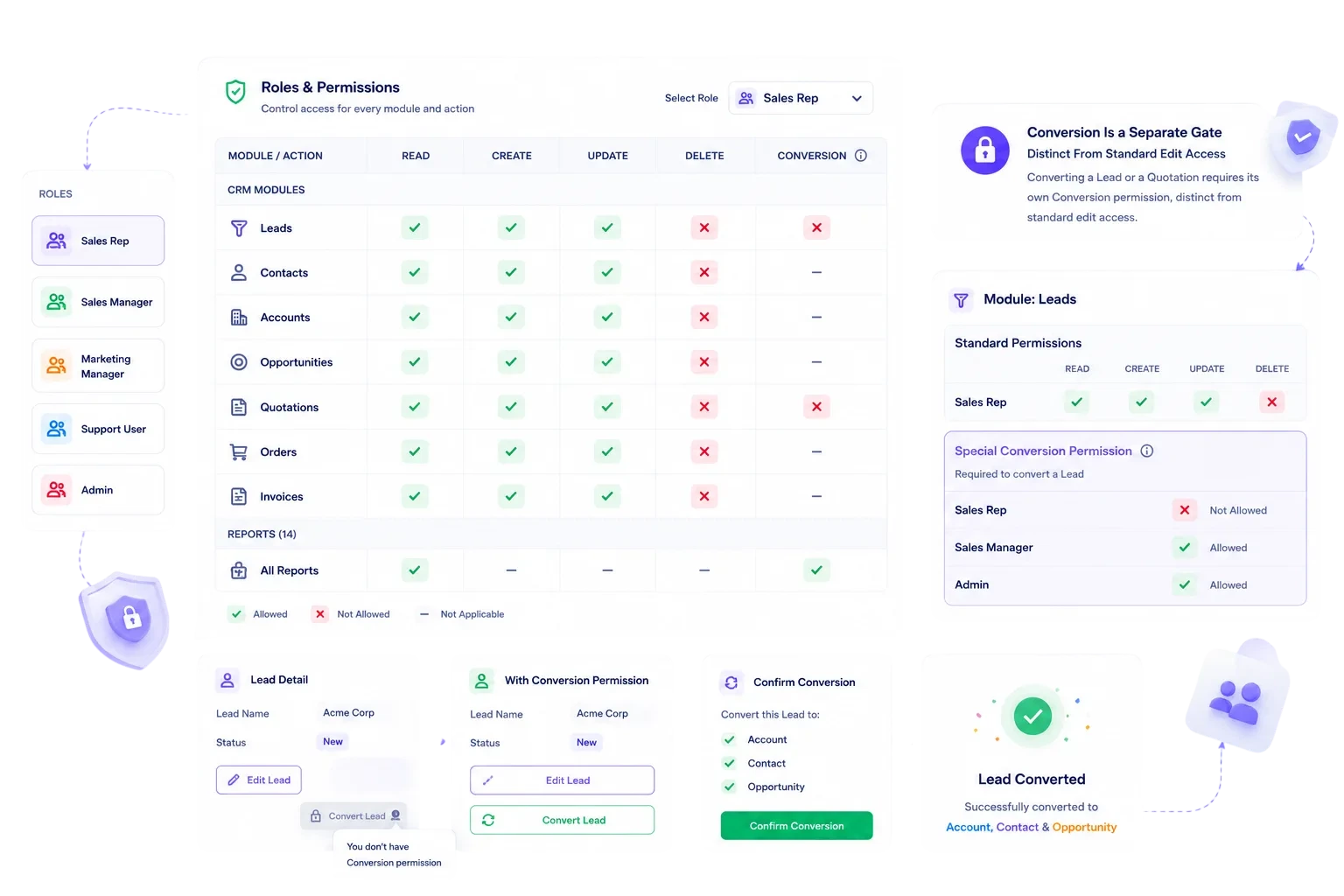
Conversion Is a Separate Gate
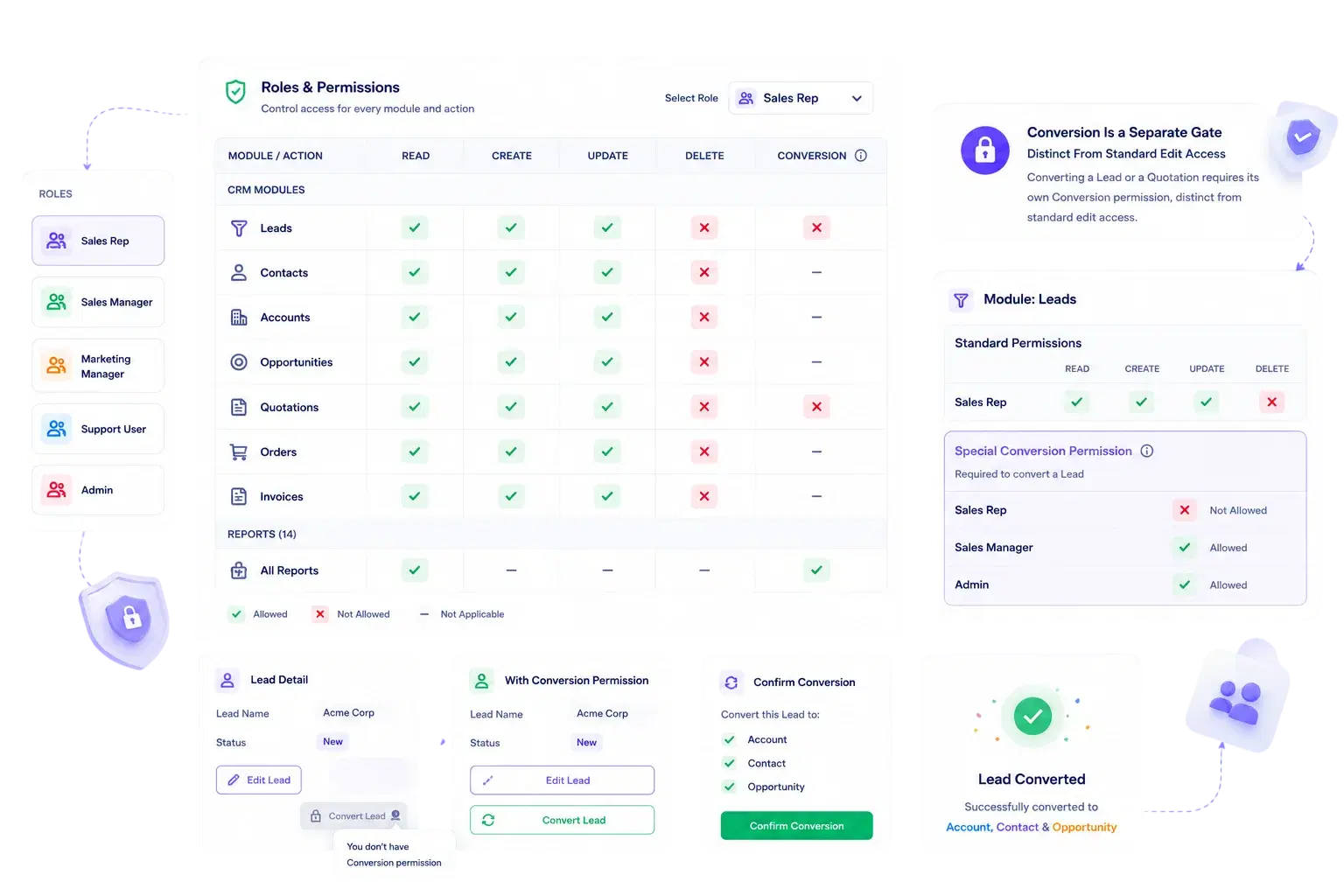
Converting a Lead or a Quotation requires its own Conversion permission, distinct from standard edit access, so update rights alone don't let someone convert a record.
Why Sales Leaders Trust BizzField's Access Model
Granular by design, and enforced everywhere it matters.
What Access Control Looks Like on BizzField
The permission model your team gets out of the box.
Roles & Permissions — Questions We Get Asked
Yes. Each role has independent Read / Create / Update / Delete access per module, covering CRM modules, master data, and reports separately.
Yes. BizzField ships with User and Manager role templates pre-configured with sensible default permissions, which you can then customize.
No. Each of the 14 built-in reports has its own independent View and Export permission, so you can let someone see a number on screen without letting them pull the underlying data out.
Conversion is a permission separate from ordinary edit rights that specifically gates converting a Lead or a Quotation — so a user can have update access to a record without being able to convert it.
Both. BizzField enforces permissions at the route level, blocking direct access to disallowed pages, and at the UI level, hiding or disabling actions a role cannot perform — the same enforcement applies on desktop and mobile.
See Granular Access Control in Action
Walk through how Read, Create, Update, Delete, Conversion and report-level permissions come together in built-in role templates — and how enforcement holds at every screen.