

QUOTATION MANAGEMENT
Quotes That Convert Into Orders. Not Retyped Into Them.
BizzField CRM turns every quotation into a structured, line-item record — tax and discounts calculated automatically — so an approved quote becomes a confirmed order in one click, with nothing retyped along the way.
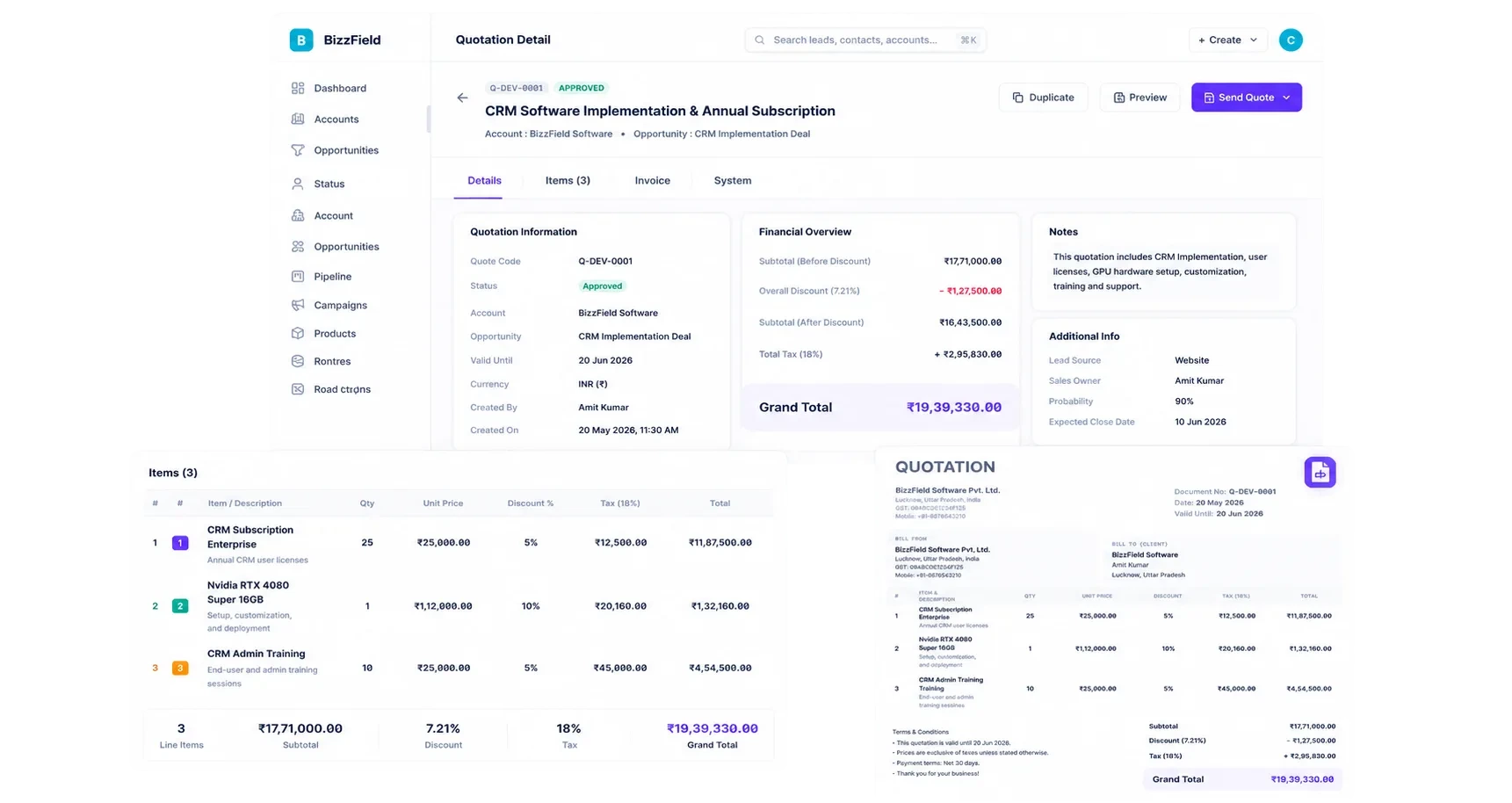
Every Quote Starts From Zero, Then Gets Retyped Anyway
Between the first line item and the final invoice, most sales teams rebuild the same numbers three separate times.
One Quotation, Six Stages, No Guessing Where It Stands
This is the exact path a quotation travels from first line item to closed invoice — every stage visible on the record, not buried in an inbox.
Draft
Line items are added one at a time, pricing pulled from the catalogue, tax and discount calculated automatically as the quote takes shape.
63 in progress
Sent
The finished quote goes out to the customer, its calculation-summary totals locked in for their review.
48 sent this week
Pending Approval
Awaiting internal sign-off before conversion is allowed — the exact gate the Conversion permission exists to enforce.
9 awaiting sign-off
Approved
Customer and internal approval are both recorded, making the quote eligible for one-click conversion.
92% approval rate
Converted To Order
One click carries every line item and price into a confirmed Order — nothing retyped, nothing left behind.
39 converted this week
Invoiced
The resulting Order generates its Invoice directly, closing the traceability chain from quotation to cash.
35 invoiced
How BizzField CRM Solves It
Four capabilities that take a quotation from first line item to a confirmed, invoiced order without a single retype.
Automatic Tax And Discount Calculation, Not Manual Math
Build The Quote Line By Line
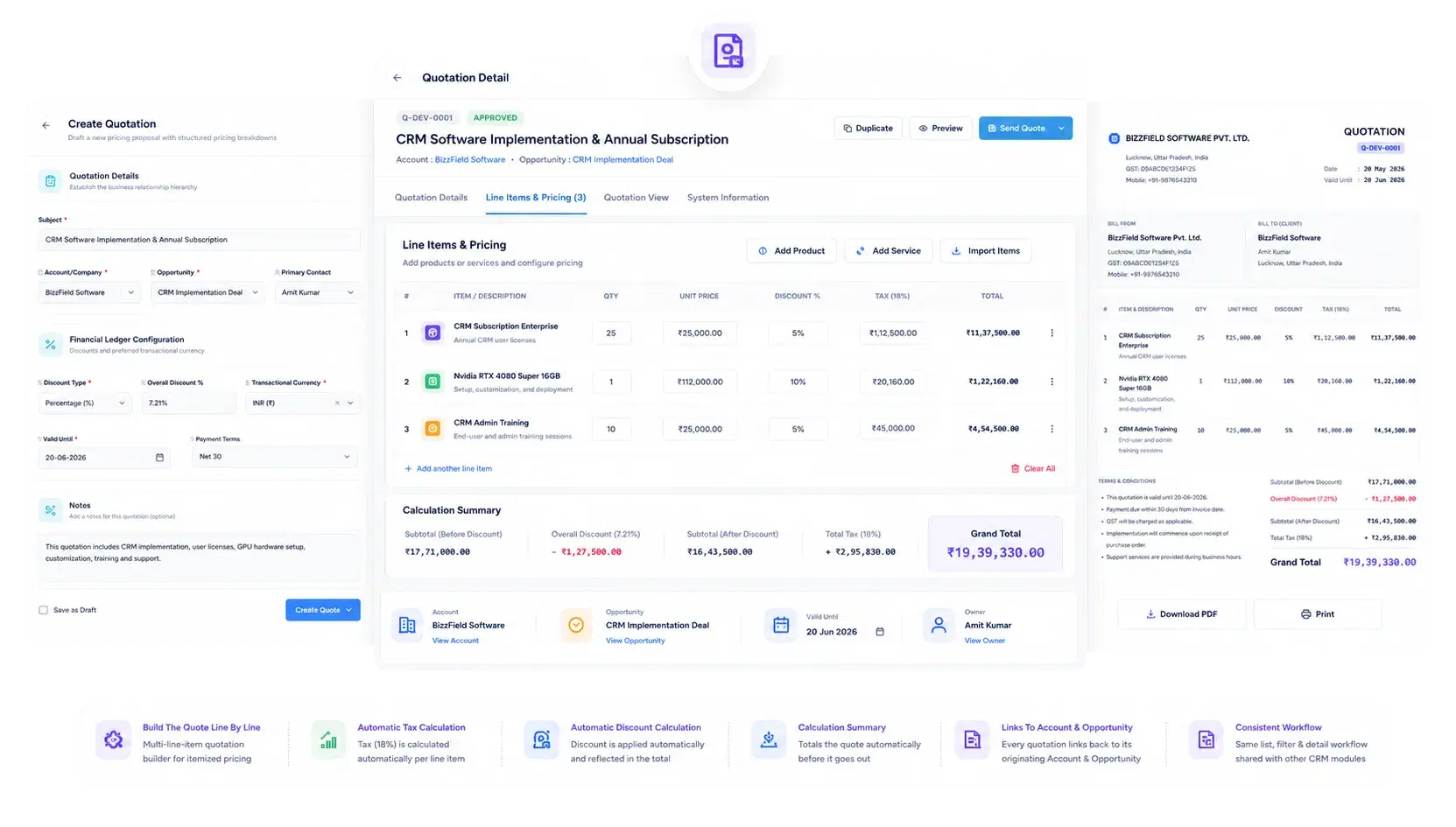
Every quotation is assembled from individual line items, not a single freeform total. A calculation-summary section totals the quote automatically before it goes out.
Details, Items, Invoice And System, One Click Apart
One Workspace, Four Views On Every Quote
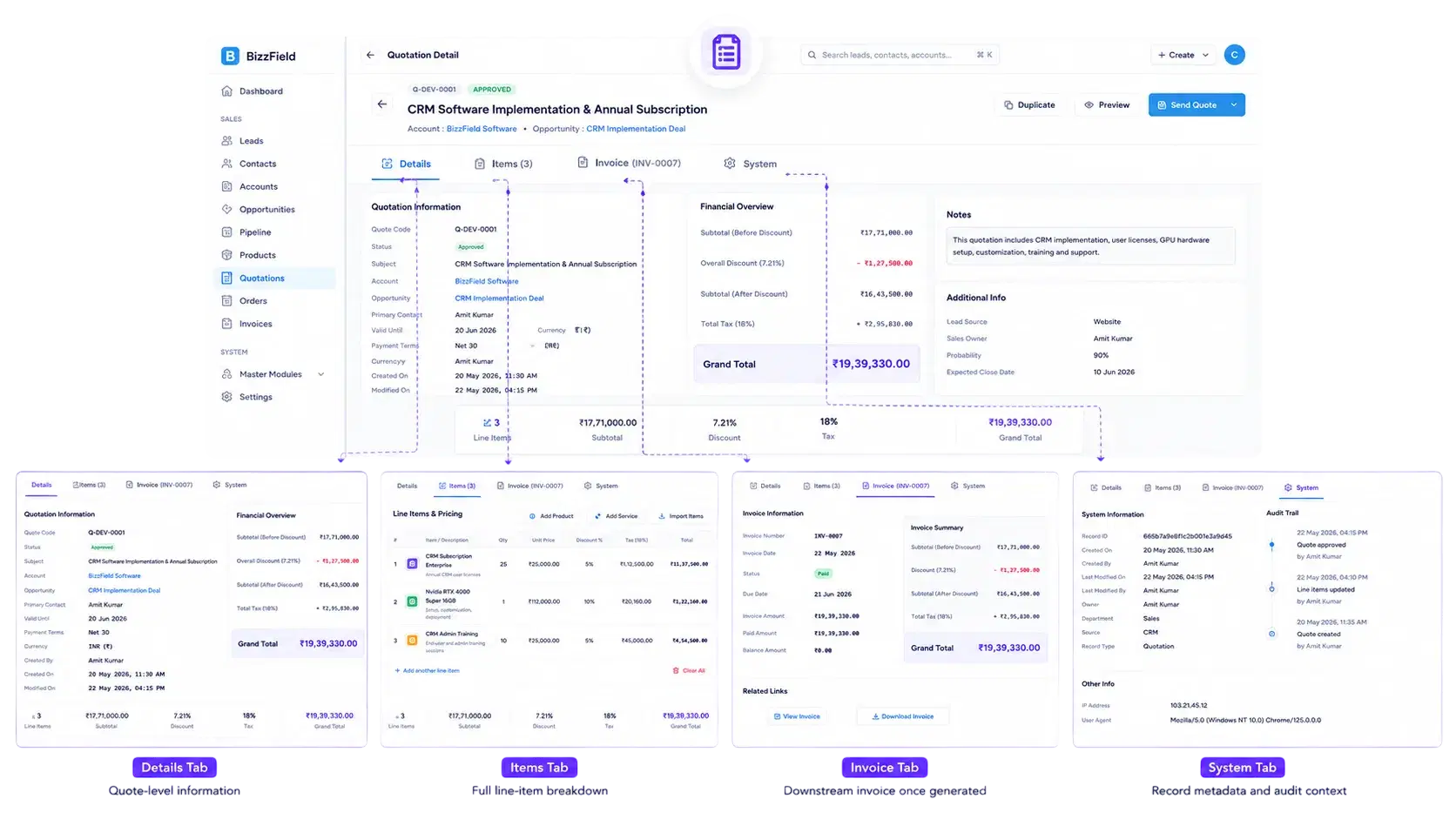
The tabbed detail view keeps commercial, item-level and system data separated but always one click away, so nothing is buried in a single long form.
One Click Carries Pricing Forward, Nothing Retyped
Quote To Order To Invoice, Without Re-Entry
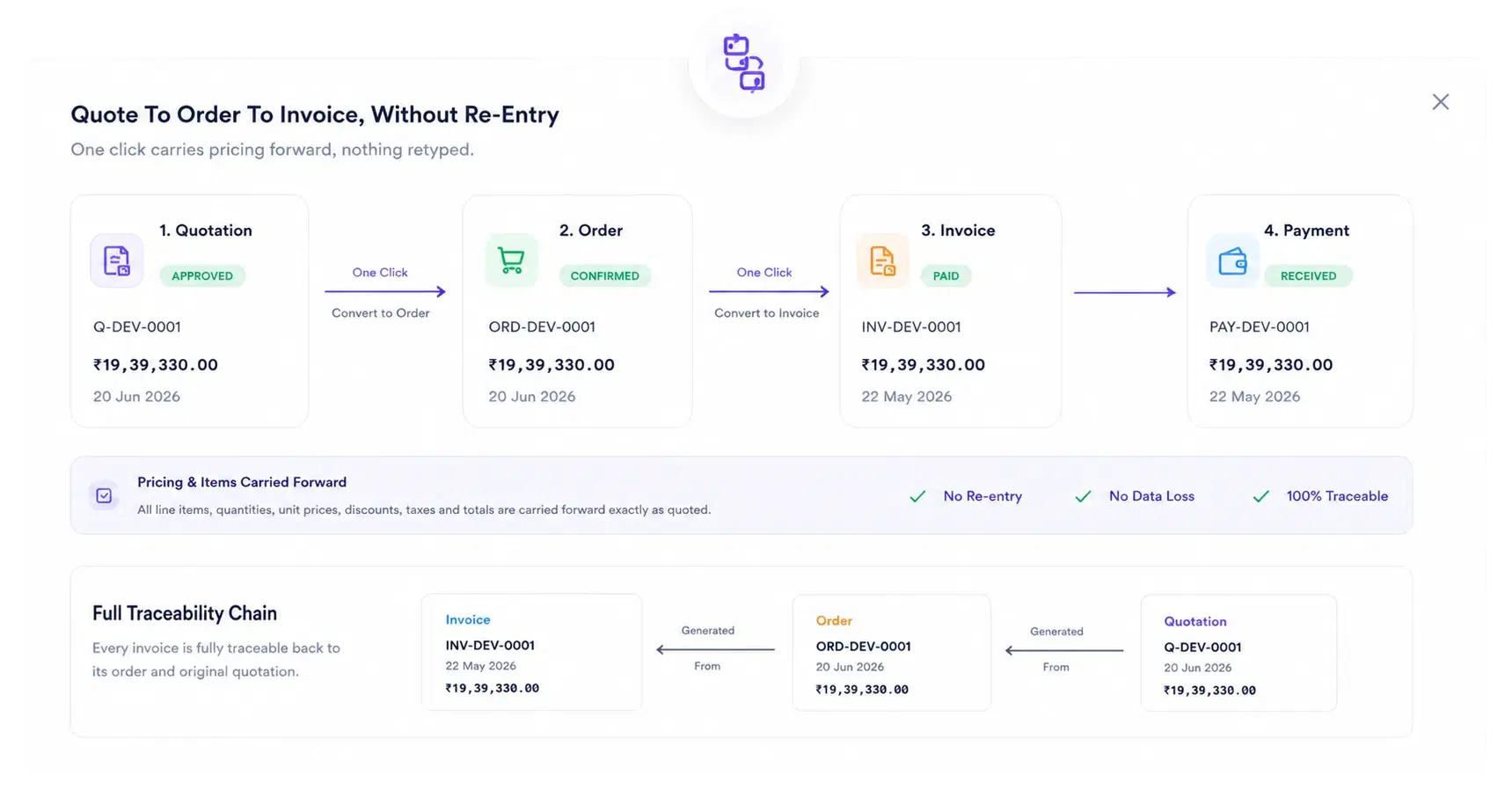
Once a quotation is approved, the same data carries forward instead of being retyped, all the way through to the resulting invoice.
Conversion Is A Permission, Not A Default
Governed By The Same Permission Model As The CRM
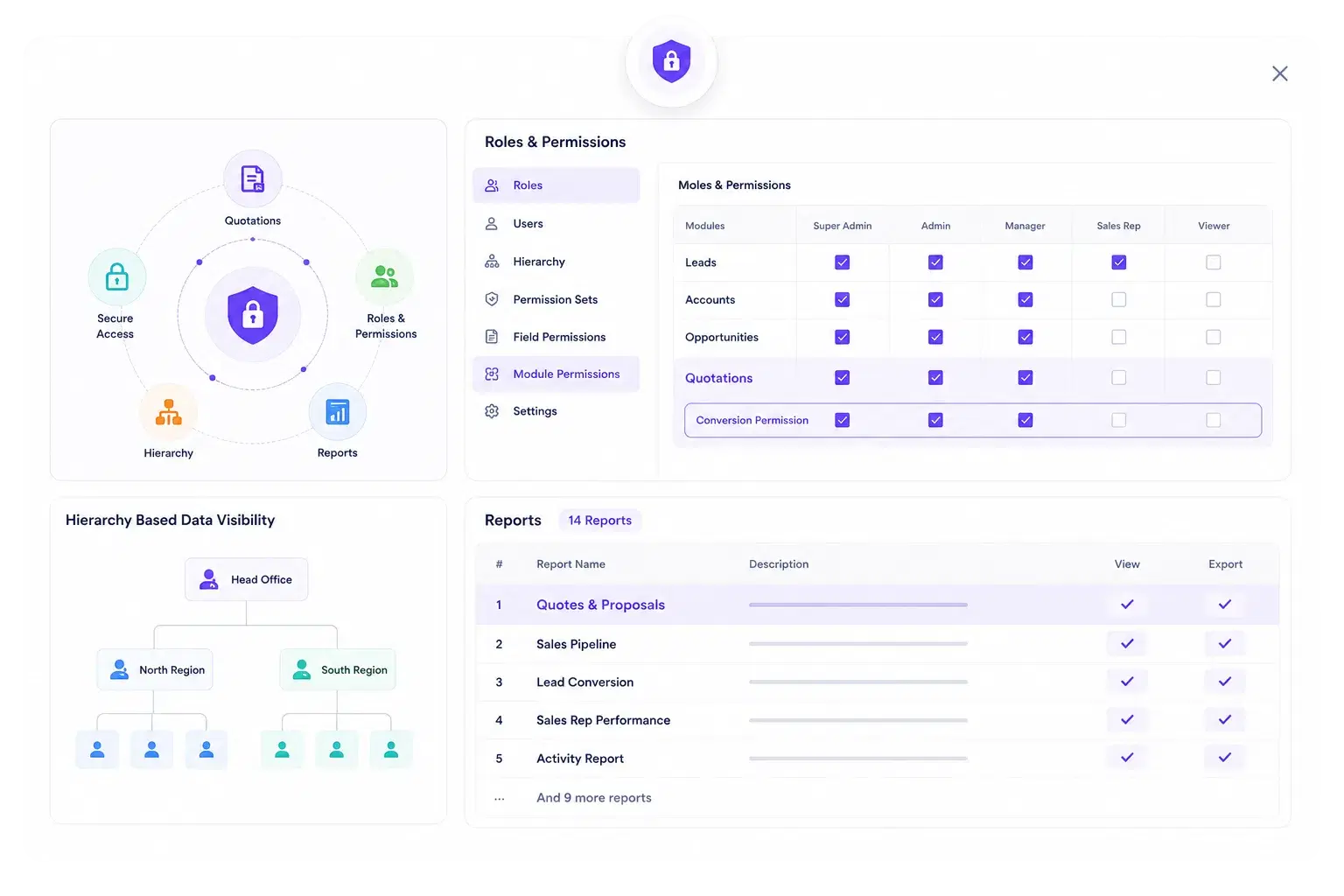
Quotation access and conversion rights follow the same Roles & Permissions engine that governs every other module in BizzField.
Why Sales Teams Quote With BizzField
Line-item precision, one-click conversion, and a permission model that keeps every quote accountable.
Results. Not Promises.
What sales teams see once quoting stops being a spreadsheet exercise.
Quotation Management — Questions Sales Teams Ask
Yes. Approved quotations convert into an Order in one action, carrying over line items and pricing without re-entry.
Yes. The quotation builder includes a calculation-summary component that computes line-item and overall totals including tax and discount.
Yes. Conversion is gated by a dedicated Conversion permission on the Quotations module, separate from standard Read/Create/Update/Delete rights, so you decide exactly who can move a quote to a firm order.
Six: Draft, Sent, Pending Approval, Approved, Converted To Order and Invoiced. Every quotation carries one of these stages on the record itself, so status is never a guess from an inbox thread.
Yes. Quotes & Proposals is one of BizzField's 14 built-in reports, with its own View and Export permissions, so leadership can track quote-to-close performance without exporting anything.
Yes. BizzField preserves full traceability across the chain — every invoice links back to its order, and every order links back to the source quotation's original line items and pricing.
See Quote-To-Order In Under Fifteen Minutes
Most teams that book a demo see a quote built, converted to an order and carried through to invoicing in the same session — and understand immediately how much re-typing they can remove from their sales cycle.