

BizzFieldCRM

LEAD MANAGEMENT

Never Let A Hot Lead Go Cold. Qualify And Convert In One Click.

BizzField tracks every lead from first touch to conversion — captured by source, scored Hot to Cold, and routed to the right rep automatically. Qualified leads become a linked Contact, Account and Opportunity without a single re-typed field.
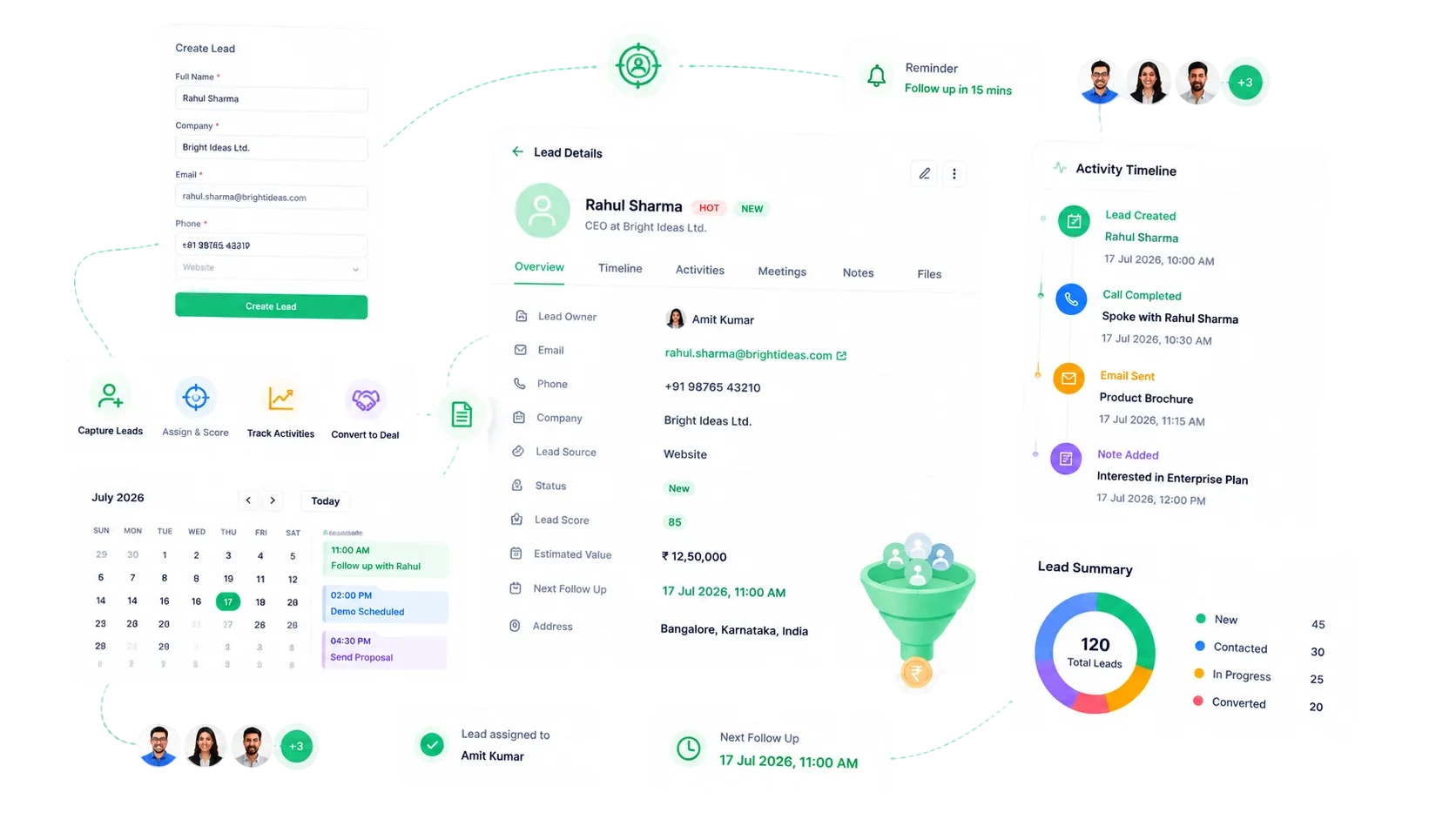
BizzField CRM lead management screen showing the lead list with status, source, owner and priority columns
3Stages From New Lead To Qualified
1Click To Convert Into Contact, Account And Opportunity
3Lead Ratings: Hot, Warm, Cold
25+CRM Modules, Fully Connected
THE PROBLEM

Leads Come In Fast. Follow-Up Falls Apart Just As Fast.

Every sales head has watched a promising inquiry go cold because nobody could say who owned it, how hot it was, or what happened last.

Scattered spreadsheets: leads sit in disconnected sheets or a shared inbox with no consistent fields for source, status or rating.
No source visibility: without a structured Source field, nobody can say which channel is actually producing pipeline.
Manual prioritization: hot leads sit next to cold ones with no rating to tell a rep which to call first.
Re-typed conversions: turning a qualified lead into a deal means retyping the same name, company and details into separate contact and opportunity trackers.
Manual assignment: routing a new lead to the right rep means a WhatsApp message or a manually maintained access sheet.
No audit trail on dead leads: unqualified leads get deleted or left in a tab with no record of why they died.
CAPTURE

Every Lead Enters The Pipeline The Same Way

Structured fields at the point of capture mean nothing gets lost in translation between reps or left for someone to clean up later.

01

Source, Status And Rating On Every Record

Capture Leads With Structure, Not Spreadsheets

Every Lead Enters The Pipeline The Same Way

Every lead enters BizzField with the same structured fields — Source, Status and Rating — so nothing gets lost in translation between reps or left for someone to clean up later.

Source field tracks where every lead originated — website, social, referral, event and moreRating field (Hot / Warm / Cold) prioritizes follow-up at a glanceLead Status field starts every record at NewExcel bulk import brings in leads from trade shows, purchased lists or old spreadsheets in one passHierarchy-aware assignment routes each new lead straight to the right rep
HOW IT WORKS

From First Touch To Converted Pipeline

A lead moves through one direction only, so its stage always reflects reality.

01NewEvery lead enters with a Source, a Rating and a Status of New — captured directly or brought in through Excel bulk import.Source recorded at capture: website, social, referral, event and moreRating (Hot / Warm / Cold) set immediatelyHierarchy-aware assignment routes the lead to the right rep
02ContactedThe assigned rep logs the first outreach, and the lead's activity timeline starts recording every task against it.Status moves to Contacted on first logged outreachTask logged directly against the lead recordManagers see contacted volume without asking for an update
03WorkingThe lead is actively being qualified — follow-ups continue and the record accumulates activity history.Status reflects active qualification, not a guessFull activity history visible on the recordRating can be revised as more is learned
04Qualified Or UnqualifiedA qualified lead is one click from becoming a Contact, Account and Opportunity. An unqualified lead is deactivated with a mandatory documented reason.Qualified leads convert in a single clickUnqualified leads require a deactivation reasonEvery closed lead leaves an auditable explanation
CONVERT

One Click From Lead To Pipeline

No retyping, no duplicate records — a single action builds the deal for you and keeps ownership tied to your org chart.

Creating the deal record

Re-type the same name, company and details into separate contact and opportunity trackers.

One action creates a linked Contact, Account and Opportunity together.

Visibility after conversion

The new deal sits in a different tool until someone manually adds it to the pipeline board.

The converted Opportunity is immediately visible on the Kanban board and in Sales Pipeline reporting.

Who can convert

Anyone with lead access can push a half-qualified lead into the pipeline.

Conversion permission is independently gated in Roles & Permissions, so only approved users can convert.

Ownership after handoff

A separately maintained access list decides who owns the new record.

Ownership follows the same User Hierarchy and Designation Level as the rest of BizzField.

WHY BIZZFIELD

Why Sales Teams Choose BizzField Lead Management

Built so a qualified lead becomes a pipeline record in seconds, not a data-entry task.

Conversion In One Click, Not Three Data EntriesConverting a qualified lead creates its Contact, Account and Opportunity together instead of forcing reps to recreate the same information across modules.
Rating Built Into The Lead Record ItselfHot, Warm and Cold ratings sit right on the lead alongside Source and Status, so prioritization doesn't depend on a side spreadsheet.
Assignment That Follows Your Actual Org ChartHierarchy-aware visibility means reps automatically see only their own leads, and managers see their team's, with no manual access list to maintain.
Bulk Import Built For Real Lead ListsA dedicated Excel bulk-upload flow handles trade show scans and purchased lists without a manual re-typing exercise.
Every Closed Lead Has A Documented ReasonDeactivating a lead requires capturing a reason, so unqualified or dead leads leave an audit trail instead of silently disappearing.
Conversion Data Feeds Real ReportingLead Conversion and Lead Source Analysis are dedicated reports in the built-in reporting suite, so source and rep performance is measurable, not anecdotal.
WHAT THE MODULE DELIVERS

Structure. Not Promises.

What a lead record looks like on BizzField from the moment it lands.

3Lead Statuses To QualifiedNew → Contacted → Working
1-ClickConvert To Contact + Account + Opportunityno re-typing across modules
3Lead Ratings TrackedHot / Warm / Cold prioritization
25+CRM Modules, Fully Connectedleads flow straight into your pipeline
FAQ

Lead Management — Questions Sales Teams Ask

BizzField records Website, Social Media, Email, Call, Referral, Employee Referral, Partner, Event, Advertisement, Chat, Direct Visit and more — so you always know where a lead came from.

Yes. BizzField supports bulk lead import via Excel, with the same bulk-upload tooling used across Contacts, Accounts and Opportunities.

Converting a lead automatically creates a linked Contact and Account, and can create an Opportunity — preserving the lead's history on the new records.

Every lead carries a Rating (Hot, Warm, Cold) and a Status, so managers can see at a glance which leads are worth prioritizing.

Stop Losing Leads Between First Touch And First Call

See how BizzField captures, rates and routes every lead automatically — and converts a qualified one into a Contact, Account and Opportunity without a single re-typed field.