

BizzFieldCRM

OPPORTUNITY MANAGEMENT

Every Deal, Fully Visible. Table View And Kanban Board, In Sync.

BizzField tracks every opportunity's value, priority, probability and expected close date — in a sortable table and a real drag-and-drop Kanban board, backed by the same underlying pipeline data.
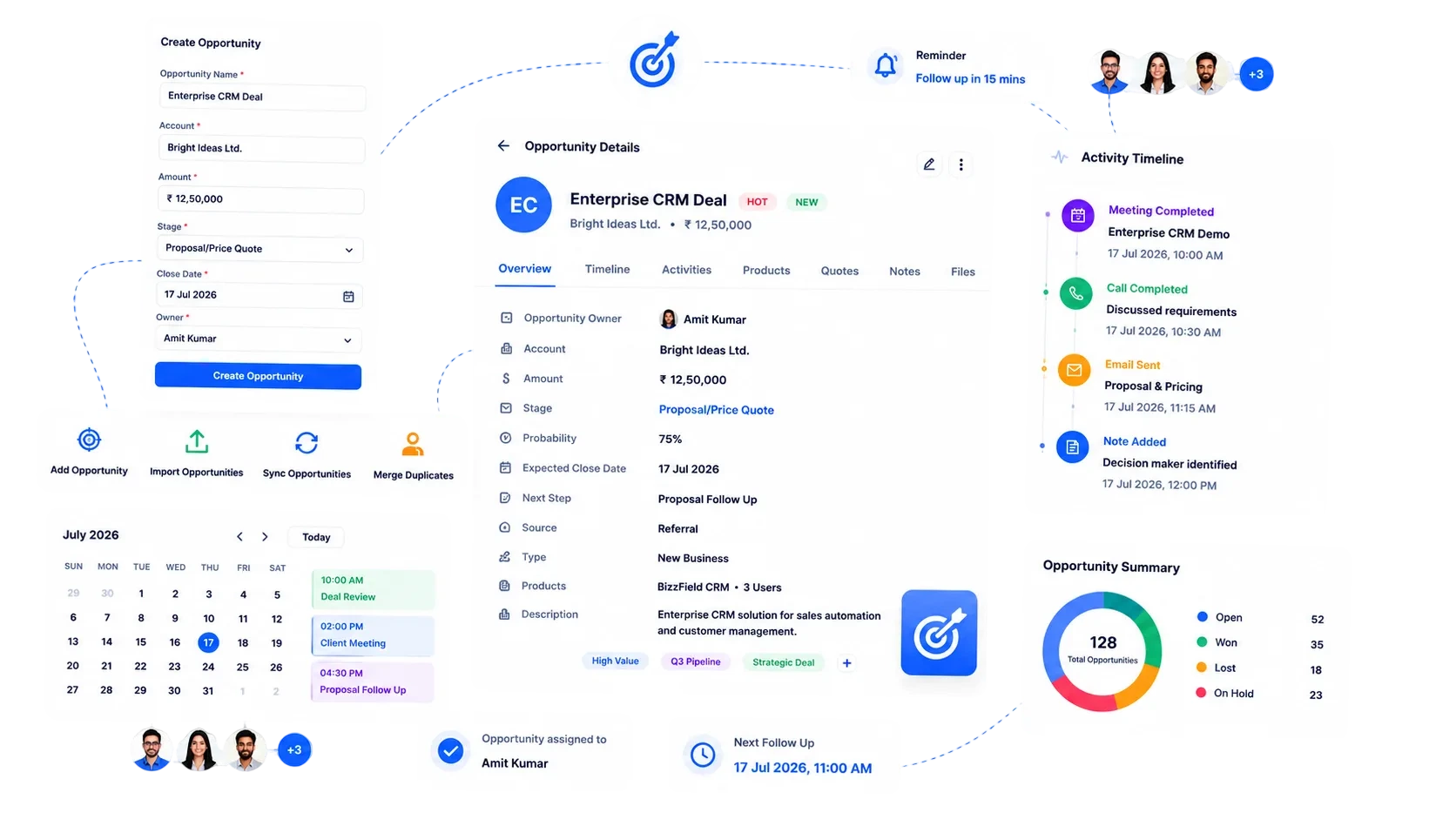
BizzField CRM opportunity management screen showing open opportunities with stage, value and close date
4Currencies Supported
2Views Of One Pipeline: Table + Kanban
14Built-In Reports
5Opportunity Types Tracked
BY THE NUMBERS

What An Opportunity Record Carries, Up Front

Before the workflow, the workflow's shape — this is what every deal in BizzField is built on, from the first qualified touch to the closing report.

4Currencies On Every DealINR, USD, EUR and GBP, natively
2Synced Views, One Pipelinesortable table and drag-and-drop Kanban
14Built-In Reportsforecast, win/loss and stalled-deal visibility
5Opportunity TypesNew Business to Cross Sell, tracked distinctly
THE PROBLEM

A Pipeline You Have To Reconstruct Isn't A Pipeline.

Deal stage in one column, value in another, loss reasons nowhere — most teams rebuild the real picture by hand before every review.

Manual stage tracking: deal stage lives in a column someone forgets to update.
No single view: value, priority and close date never sit together in one place.
Untracked lost reasons: loss reasons get scattered across emails, or captured nowhere at all.
Single-currency math: cross-border deals mean manual conversion math, or picking one currency and hoping.
Disconnected records: the contacts and products tied to a deal live in separate files from the deal itself.
Stale deals hide in plain sight: nothing flags an opportunity that has quietly stopped moving.
FEATURE BY FEATURE

How BizzField Opportunity Management Works

Four capabilities that turn a list of deals into an accurate, forecastable pipeline.

01

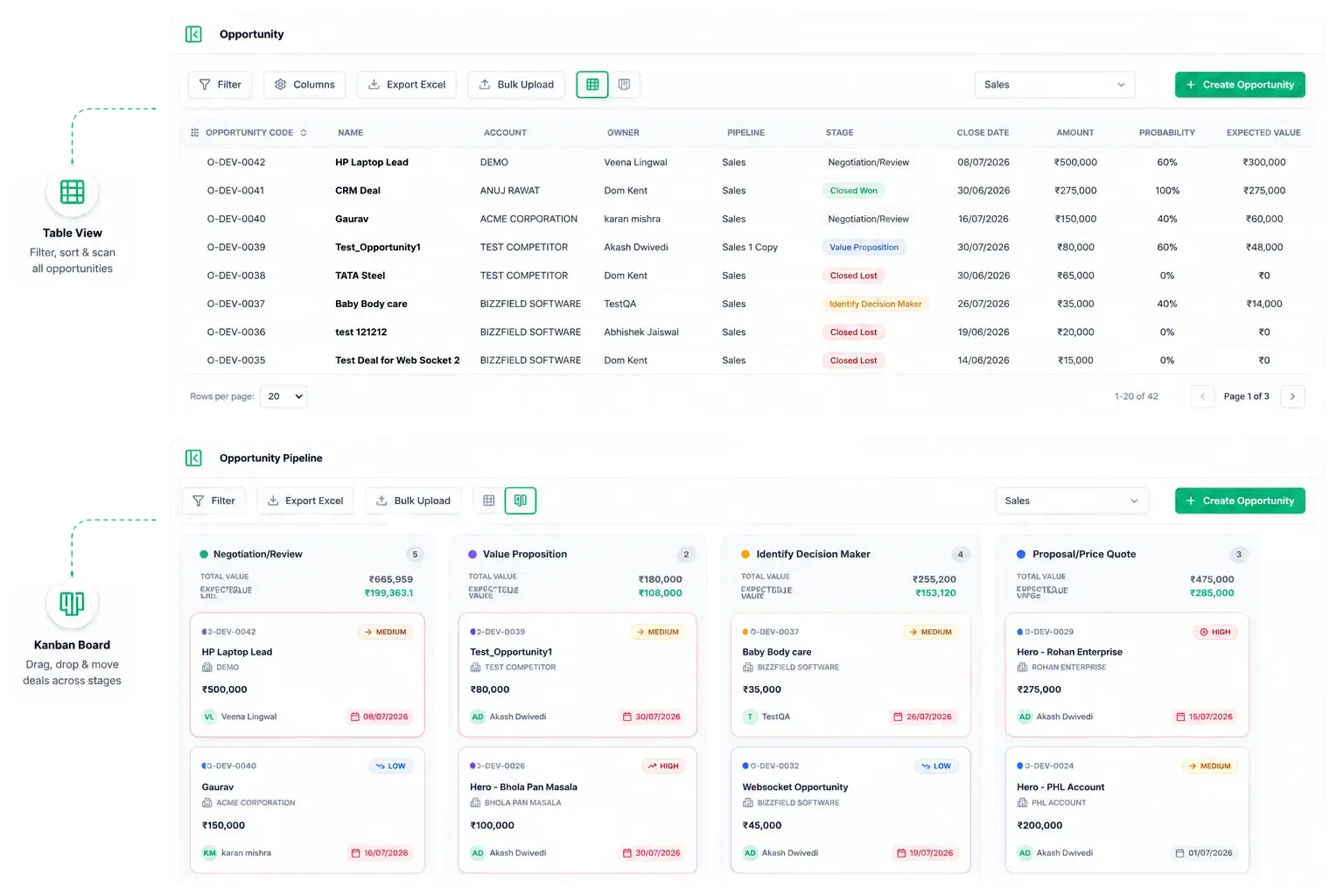
Table Or Kanban, Same Underlying Data

One Pipeline, Two Views
One Pipeline, Two Views

The same opportunity data renders as a sortable table or a drag-and-drop Kanban board, so reps and managers can work the way they prefer without duplicate entry.

Table view for filtering, sorting and bulk scanning of every open dealKanban board built on real drag-and-drop, not a static status listLive column totals on every stage: deal count, Total Value and probability-weighted Expected ValueOverdue close dates flagged directly on the card
02

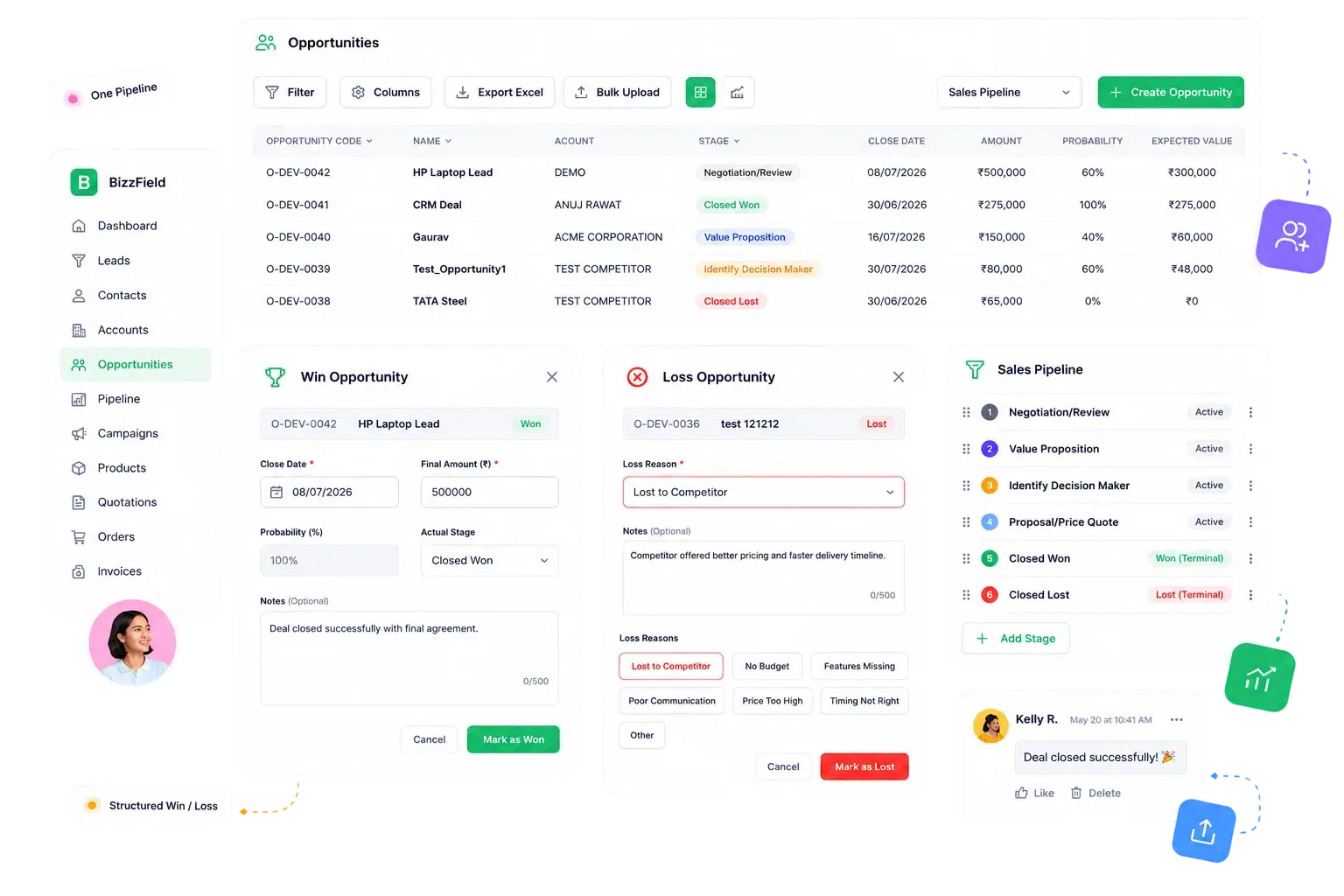
Winning And Losing Are Structured Events

Built For How Deals Actually Close
Built For How Deals Actually Close

Winning and losing a deal are structured events, not a dropdown change.

Win Modal confirms final close date and final amount at the moment a deal is wonLoss Modal captures a structured Loss Reason instead of a free-text guessLoss Reasons cover Lost to Competitor, No Budget, Features Missing, Poor Communication, Price Too High, Timing Not Right and OtherWon and Lost terminal stage flags keep pipeline reporting accurateMultiple named pipelines with reorderable custom stages and a default pipeline designation
03

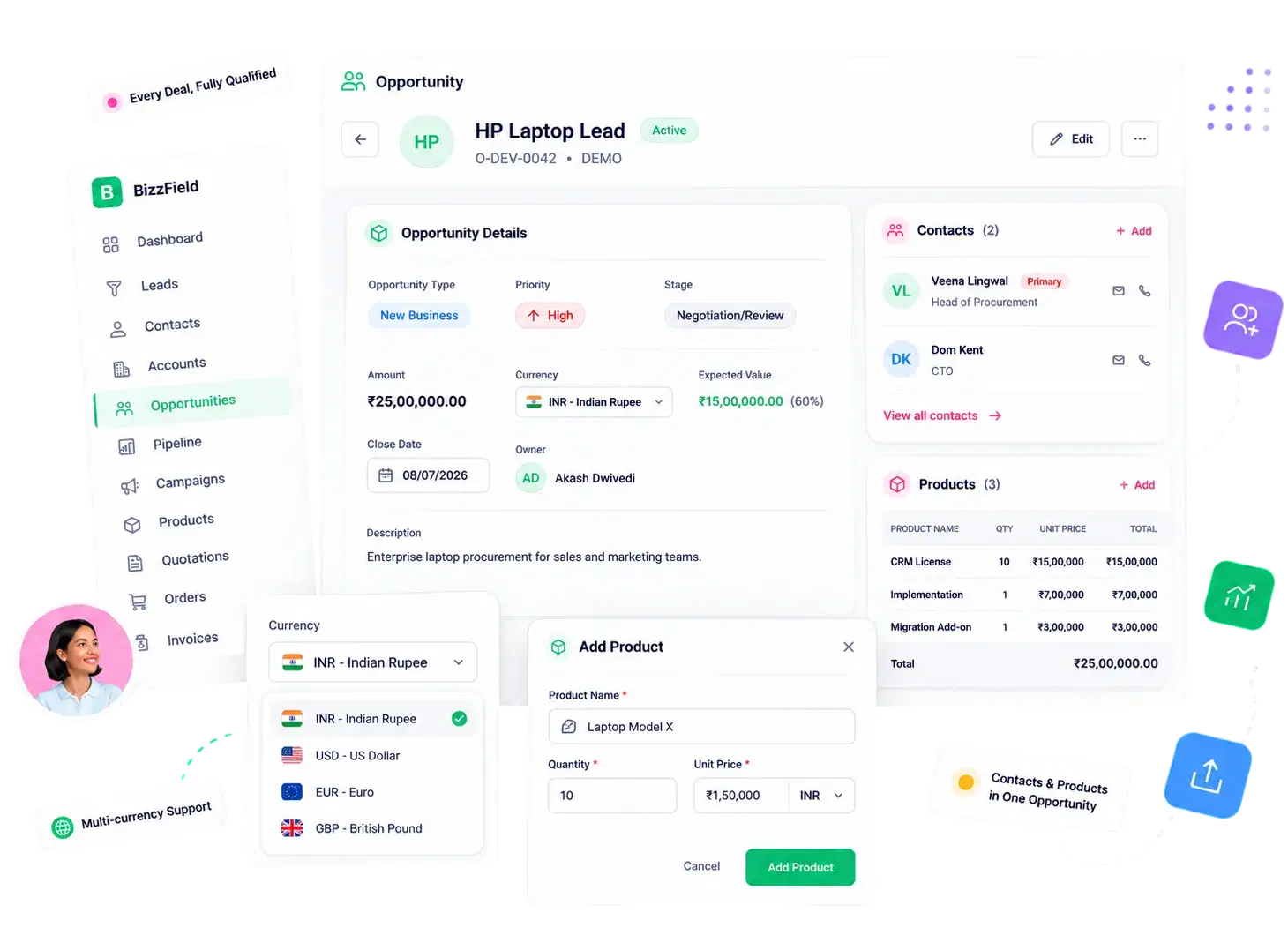
Context Sales Teams Actually Need

Every Deal, Fully Qualified
Every Deal, Fully Qualified

Opportunities carry the context sales teams actually need to prioritize and forecast.

Opportunity Type: New Business, Existing Business, Renewal, Upsell, Cross SellPriority badges (Low / Medium / High / Urgent) visible right on the cardMulti-currency support across INR, USD, EUR and GBP on every dealMultiple Contacts and line-item Products associated directly on the opportunity
04

No Export Step Required

From Pipeline To Forecast
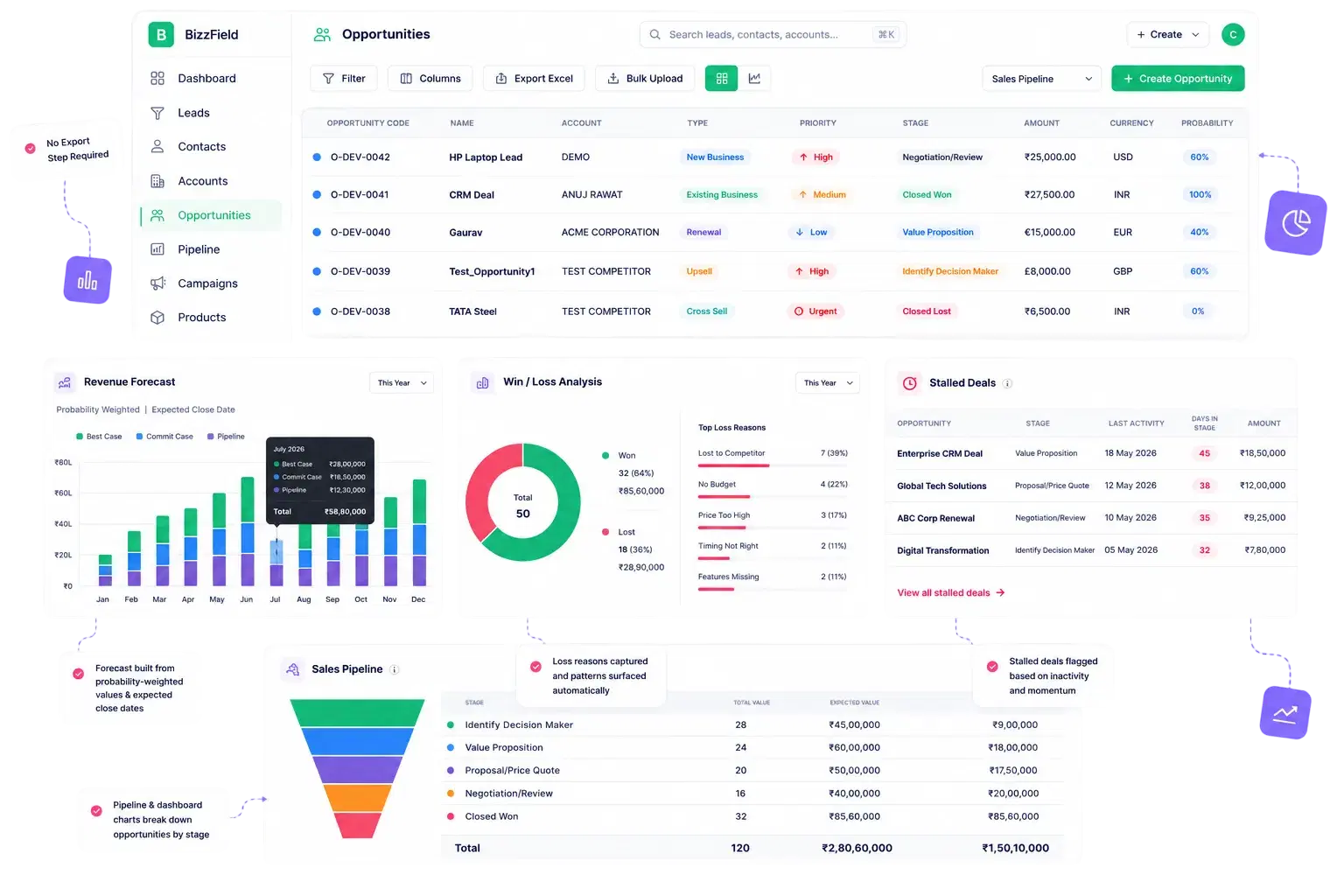
From Pipeline To Forecast

Opportunity data feeds directly into reporting without any export step.

Revenue Forecast report built monthly from probability-weighted values and expected close datesWin/Loss Analysis report surfaces patterns from structured loss reasonsStalled Deals report and dashboard widget flag opportunities losing momentumSales Pipeline report and dashboard charts break down pipeline by stage
WHY BIZZFIELD

Why Sales Teams Choose BizzField Opportunity Management

A pipeline that stays accurate whether a rep is working the table or dragging cards on the board.

Real Drag-And-Drop, Not A MockupThe Kanban board uses genuine drag-and-drop interaction with live totals that update as cards move between stages.
Structured Win And Loss CaptureA Win Modal locks in the final amount and close date, while a Loss Modal forces a structured reason instead of an empty field.
Multi-Currency From Day OneINR, USD, EUR and GBP are supported natively on every opportunity, with no workaround conversions needed.
Multiple Pipelines, Your WayConfigure multiple named pipelines with reorderable custom stages and set a default, so different sales motions get their own flow.
Deals Carry Full ContextOpportunity Type, Priority, multiple Contacts and line-item Products all live on the same record instead of scattered across tools.
Pipeline Feeds Forecasting AutomaticallyProbability-weighted Expected Value on every card flows straight into the monthly Revenue Forecast report with no manual rollup.
HOW IT WORKS

From Qualified Deal To Closed Won Or Lost

The same record moves through the pipeline, closes with structured data, and feeds the forecast automatically.

01Qualified Opportunity CreatedA deal enters the pipeline with an Opportunity Type, a Priority, a currency and, where relevant, multiple Contacts and line-item Products.Opportunity Type set: New Business, Existing Business, Renewal, Upsell or Cross SellPriority badge assigned: Low, Medium, High or UrgentCurrency selected from INR, USD, EUR or GBP
02Deal Moves Through The PipelineThe opportunity is dragged across custom, reorderable stages on the Kanban board, or updated from the table view — both reflect the same record.Live column totals update on every move: count, Total Value, Expected ValueOverdue close dates flagged directly on the cardStage-change history logged for a full audit trail
03Deal Closes — Won Or LostClosing is a guided step, not a dropdown change. The Win Modal or Loss Modal captures the data that matters at the moment it happens.Win Modal confirms final close date and final amountLoss Modal captures a structured Loss ReasonWon and Lost terminal stage flags keep every report accurate
04Pipeline Feeds Forecast AutomaticallyClosed and open opportunities alike roll straight into reporting, with no export or manual rollup required.Revenue Forecast report built from probability-weighted valuesWin/Loss Analysis surfaces patterns from structured loss reasonsStalled Deals report flags opportunities losing momentum
FAQ

Opportunity Management — Questions Sales Teams Ask

A Lead is an unqualified prospect. An Opportunity is a qualified, in-progress deal linked to an Account, with a defined value, priority and expected close date.

Yes. BizzField offers both a data table and a drag-and-drop Kanban board for opportunities, backed by the same underlying pipeline data.

When an opportunity is marked lost, BizzField prompts for a structured Loss Reason so managers can analyze win and loss patterns in the Win/Loss Analysis report.

Yes. Multiple Contacts and line-item Products can be associated directly on an opportunity, so the full deal context lives on one record instead of scattered across tools.

Four, natively: INR, USD, EUR and GBP. Each opportunity carries its own currency, so cross-border deals never need manual conversion math.

A dedicated Stalled Deals report and dashboard widget surface opportunities that have gone quiet, alongside overdue close dates flagged directly on the Kanban card.

See Your Whole Pipeline, Not Just A Column Of Stages

See how BizzField tracks value, priority, probability and close date on every deal — in a table view and a real drag-and-drop Kanban board that always agree.