

ACTIVITY MANAGEMENT
Every Call, Email and Visit. One Timeline, Not Five Guesses.
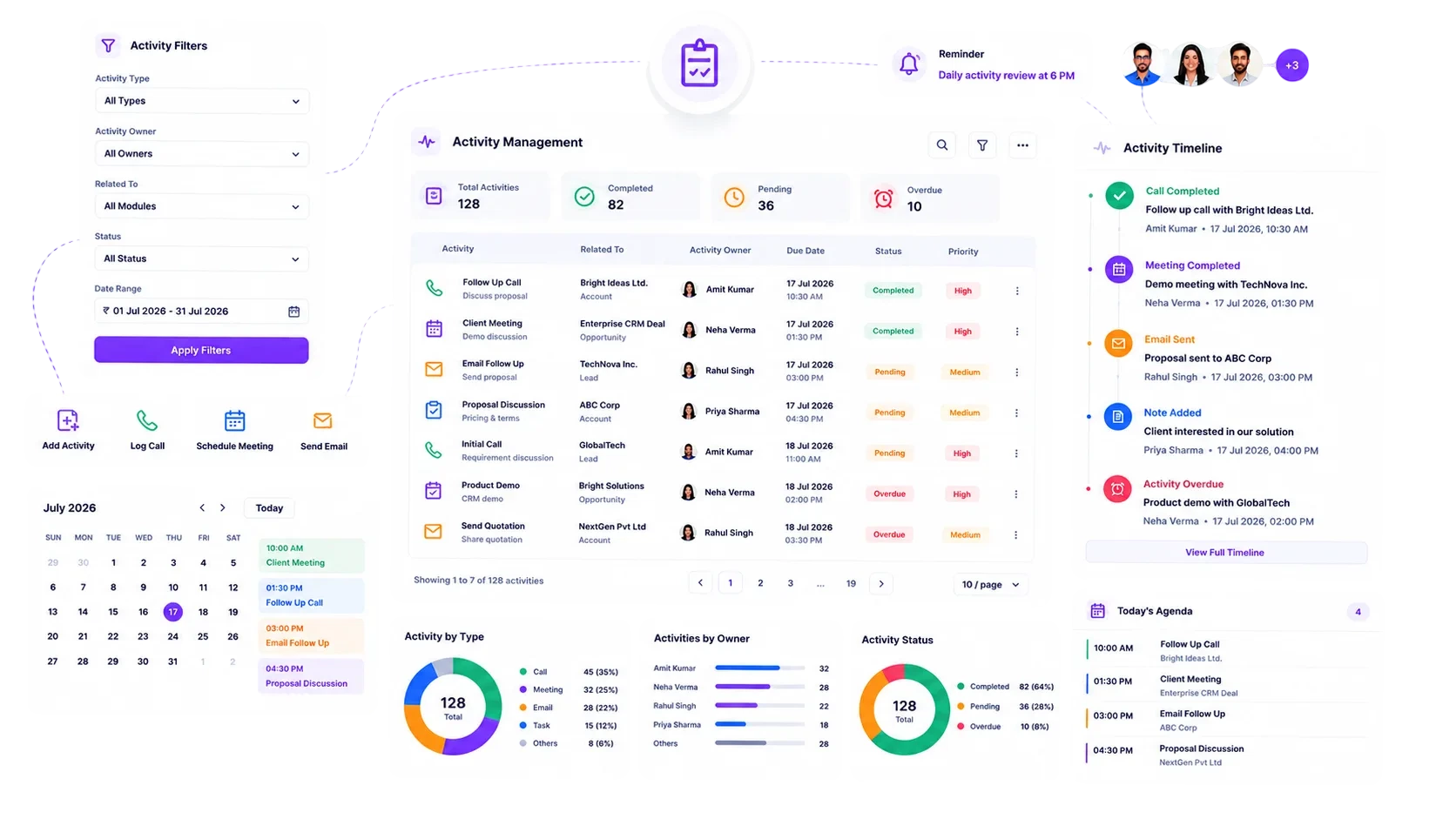
Interaction history scattered across notebooks, inboxes and a rep's memory is not a record. BizzField embeds a chronological activity timeline directly on every Lead, Contact, Account and Opportunity, so anyone opening the record sees exactly what happened, in order, without asking around.
History That Lives in Notebooks and Memory
Every sales manager has asked "what happened on this account" and gotten five different answers.
From One Click to an Audit Trail Nobody Has to Maintain
The timeline isn't a report you generate after the fact — it's built automatically from the moment a task is logged. Expand each step to see exactly what happens.
There's no separate tasks screen to open first. The Add Task action sits directly on the Lead, Contact, Account or Opportunity's timeline, capturing Subject, Task Type, Priority and Due Date in the same view you're already working in. The moment it's saved, it becomes the newest entry at the top of that record's history.
Whatever the task type, it renders as a single scannable entry — status icon, subject, type, priority and due date — inside the same chronological feed. A rep opening any of the four record types sees the identical structure, so there's nothing new to learn switching between a Lead and an Account.
As a task moves forward, its status icon updates on the same timeline entry rather than requiring a lookup elsewhere. Anyone scrolling the feed can tell what's pending, what's in motion and what's already closed out without opening a single task.
Every time an Opportunity moves stage — Proposal to Negotiation, for example — that transition is written to its own stage-history log, distinct from the task timeline. It pairs with the Win/Loss Analysis report to show exactly how and when a deal actually progressed, without task noise mixed in.
The timeline doesn't run on a separate permission model. Whatever hierarchy-based visibility already governs a Lead, Contact, Account or Opportunity extends automatically to its activity feed, so managers see their team's history and reps see their own with no parallel access list to maintain.
A brand-new Lead and a multi-year Account render their timelines with the same structure — status, subject, type, priority, due date. A long history doesn't turn into a wall of text; it stays a list anyone can scan in seconds, at any point in the record's life.
Why Teams Choose BizzField's Activity Timeline
Context that is never more than a scroll away, and an audit trail nobody has to build by hand.
Results. Not Promises.
What teams see once history stops depending on memory.
Activity Management — Questions Teams Ask
Activities are the tasks logged against a record — calls, follow-ups, visits, notes and more — shown as a single chronological timeline on that record's detail page.
Yes. Opportunity records track a separate stage-history log, so you can see exactly when and how a deal progressed through your pipeline, distinct from its task timeline.
Yes. Lead, Contact, Account and Opportunity detail pages all embed the same chronological activity timeline, so the pattern is identical no matter which record you open.
Yes. A quick Add Task action sits right on the timeline itself, so logging the next call, email or visit takes a single click without leaving the record.
Every entry shows a status icon, subject, type, priority and due date, keeping even a years-long history quick to scan without opening individual tasks.
The same hierarchy-based visibility that governs the Lead, Contact, Account or Opportunity applies to its timeline, so reps see their own activity and managers see their team's, with no separate access list to configure.
Give Your Team One Shared Version of the History
Stop reconstructing what happened on an account from memory and scattered inboxes. See how BizzField's embedded activity timeline keeps every rep and manager looking at the same record.