

BizzFieldCRM

CONTACT MANAGEMENT

Every Contact Starts Classified. Every Interaction Stays On The Record.

BizzField splits contact management into two moments that matter: how a person enters your database, and what happens to their record afterward. Get the first one right — Customer, Prospect, Partner, Vendor or otherwise, tagged by region from day one — and the second one, a full activity timeline plus filterable lists, takes care of itself.
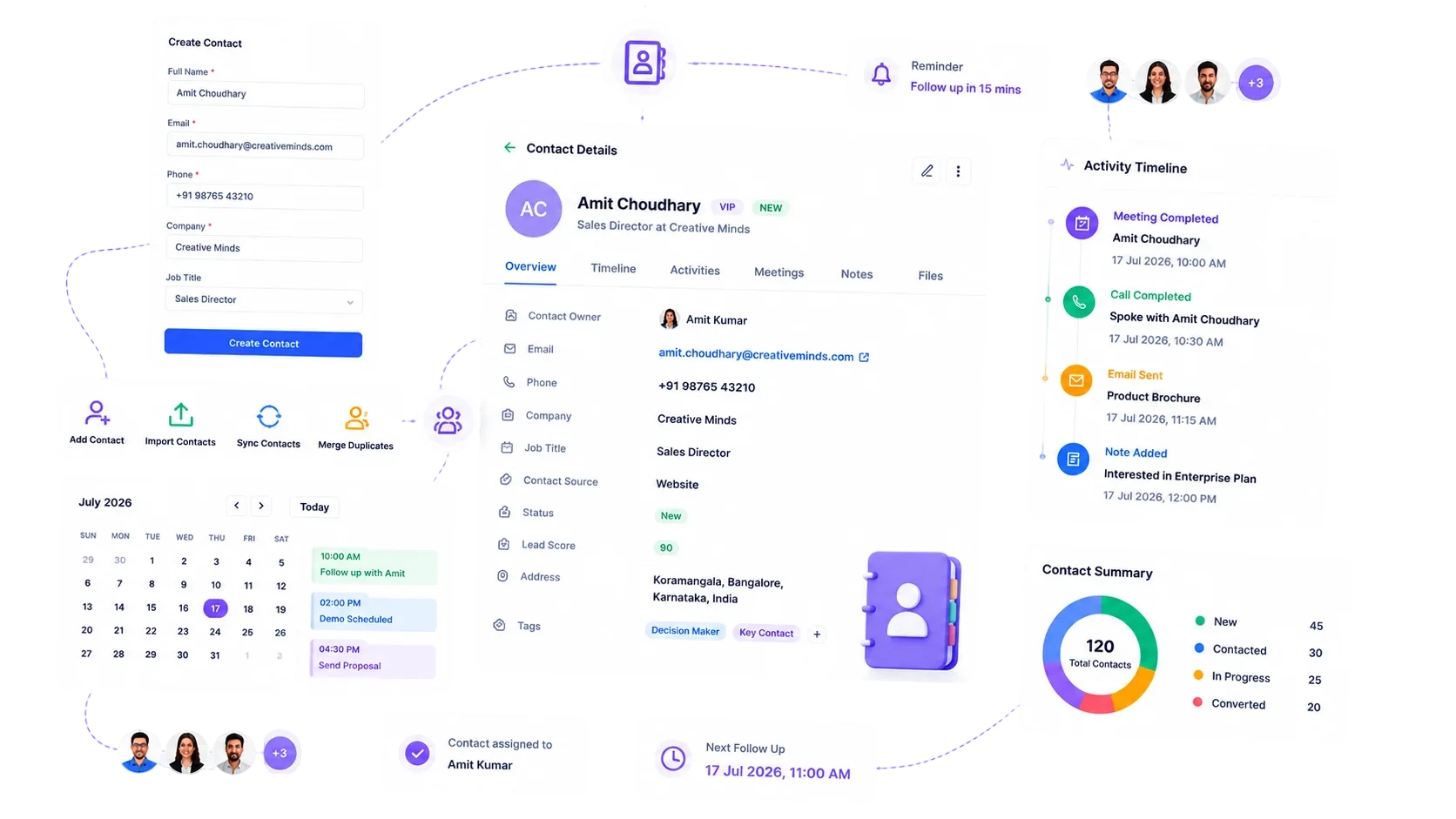
BizzField CRM contact management screen showing contact records with company, designation and interaction history
7Contact Types Tracked
25+CRM Modules, One Record
4Currencies Supported
1Timeline Per Contact, Always Current
THE PROBLEM

A Contact List Is Not A Relationship Record.

Most teams store names. Very few can tell you who a person actually is to the business, or what was last said to them.

One flat list: contacts sit in a single undifferentiated list with no way to distinguish a customer from a vendor or an influencer.
No interaction record: nobody can see who called, emailed or visited a contact, or when.
Manual import: bringing in a contact list means matching columns by hand and hoping nothing duplicates.
Manual filtering: segmenting a list means adding helper columns and hiding rows.
Inconsistent location data: a contact's region and city get typed inconsistently, if entered at all.
PART ONE — ON ENTRY

The Moment A Contact Enters Your Database

Whether it's added by hand or brought in from an old spreadsheet, a contact never sits in a raw, untyped list — it's structured the second it's saved.

01

Typed The Moment They Enter The System

Classified From The First Field, Not Sorted Later
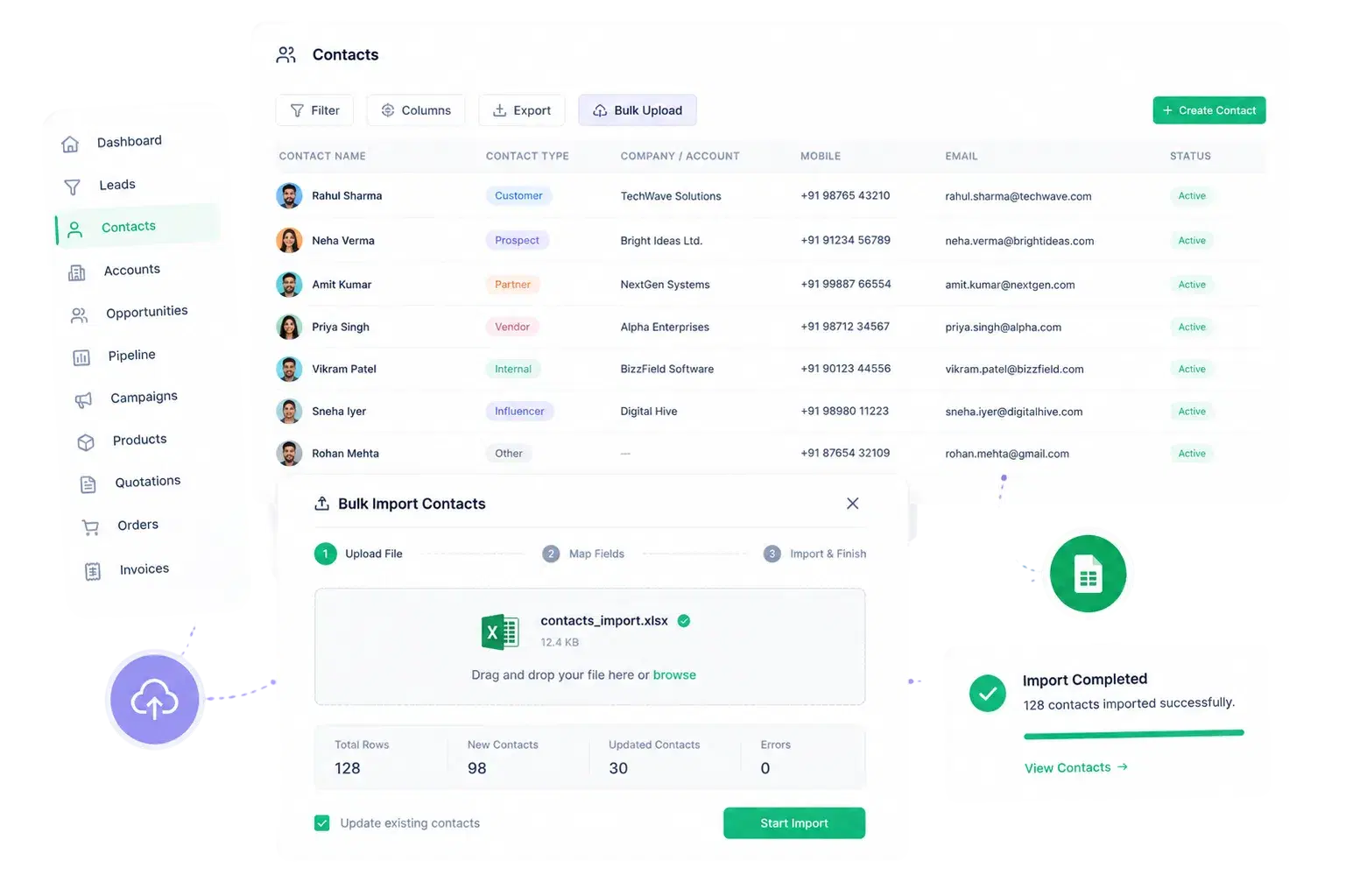
Classified From The First Field, Not Sorted Later

Every contact is typed the moment it's created, so your database never turns into an undifferentiated pile of names waiting to be sorted.

Assign Contact Type: Customer, Prospect, Partner, Vendor, Influencer, Internal or OtherFull create / view / update workflow with a dedicated detail page per contactConsistent Region, State, City, Area tagging shared with Leads and AccountsContacts link to the same Account and Opportunity records they do business through
02

The Same Bulk Tooling As Leads

Bring In What You Already Have, Instantly Structured
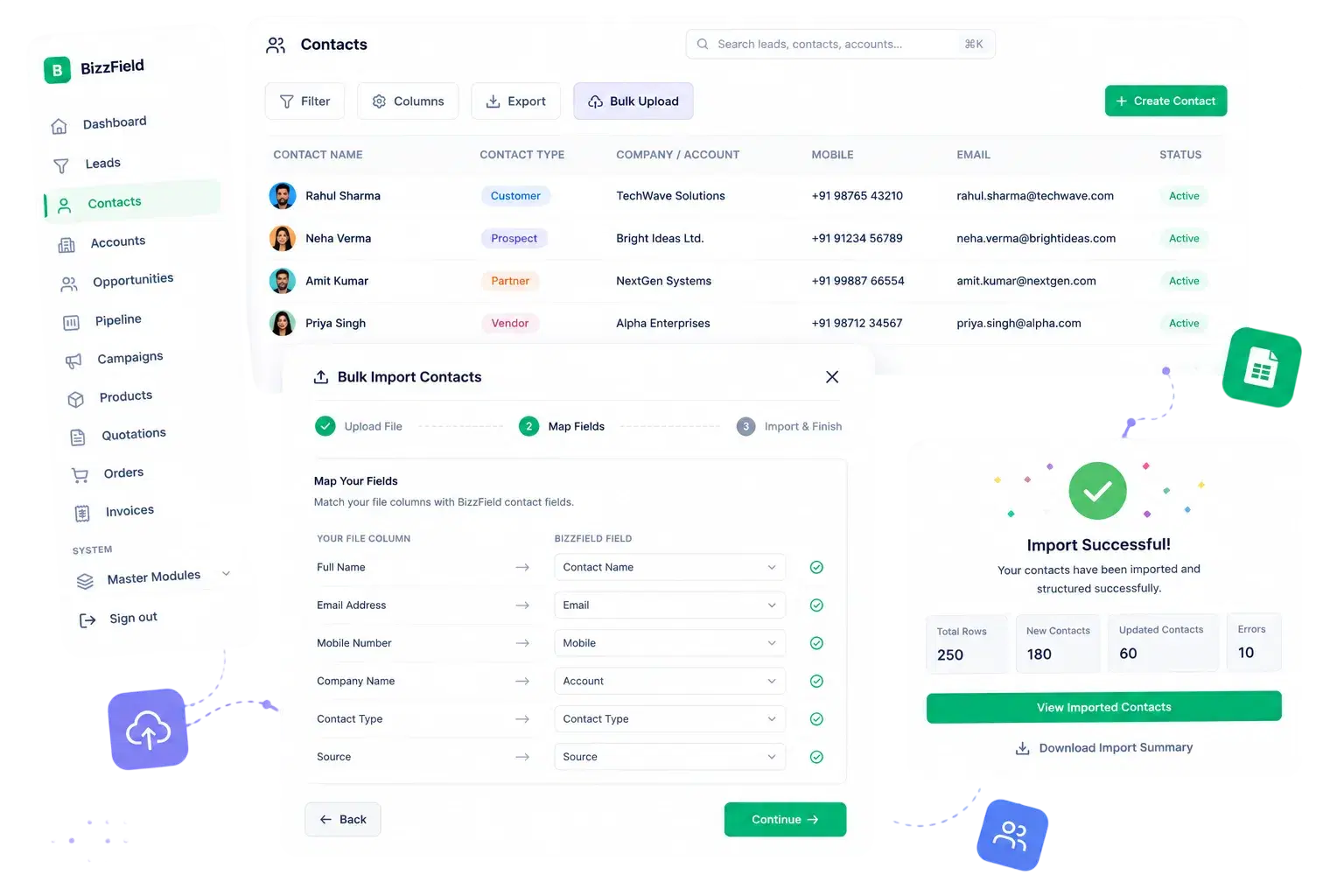
Bring In What You Already Have, Instantly Structured

Contact Management uses the same bulk tooling as Leads, so migrating an existing database in isn't a rebuild — it's an upload.

Excel bulk import for adding or updating contacts in bulkEvery imported row inherits the same typed fields as a manually added contactHierarchy-aware data visibility applies automatically, even on bulk-imported recordsSame import pattern used across Leads for a consistent onboarding workflow
PART TWO — OVER TIME

What Happens After The Contact Is Saved

A typed record only stays useful if what happens to it afterward is just as structured — every task logged, every list still filterable months later.

01

No Digging Through Emails To Find Out What Happened

A Timeline That Remembers So Your Team Doesn't Have To
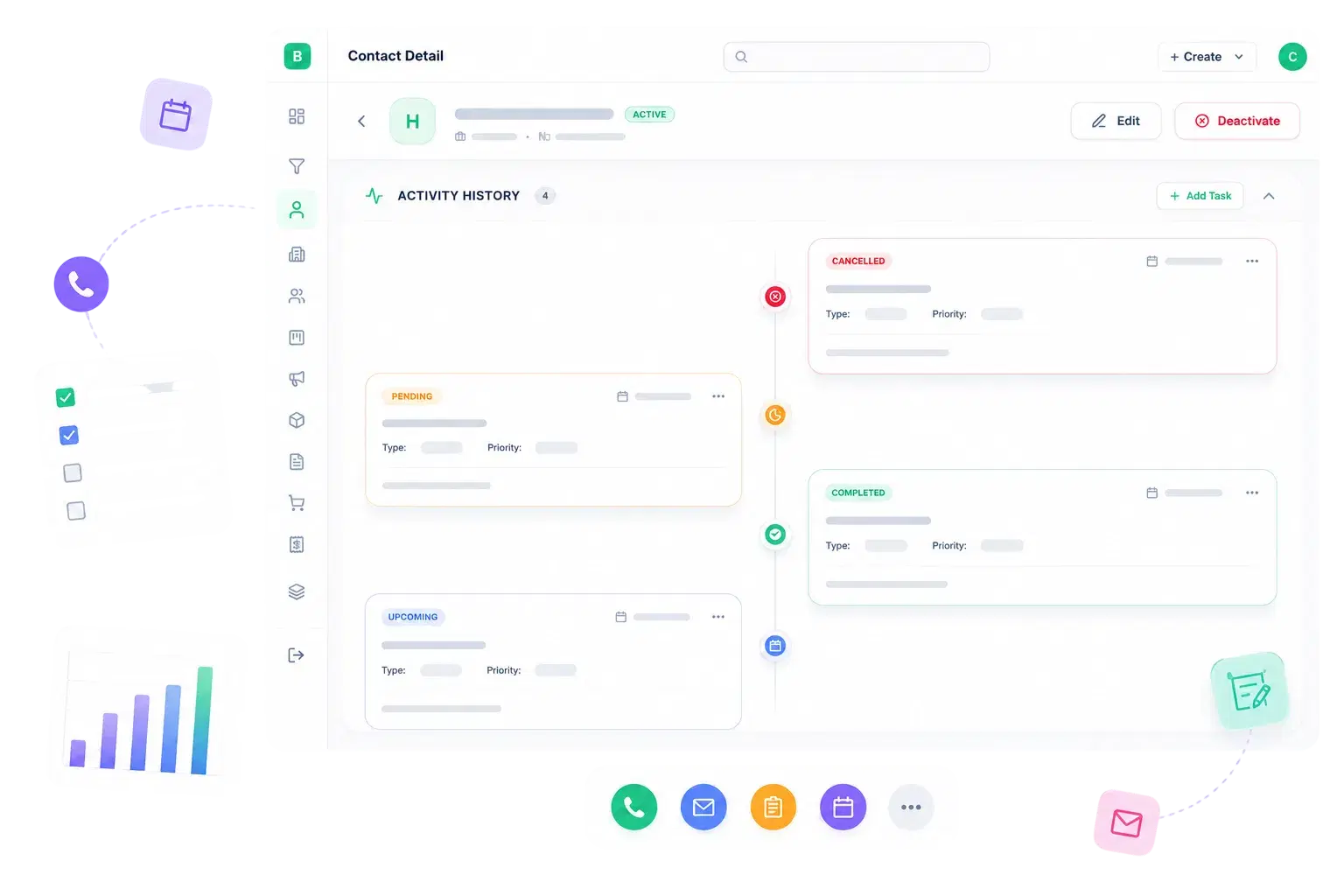
A Timeline That Remembers So Your Team Doesn't Have To

Instead of digging through emails or asking a colleague, open the contact and see exactly what happened, and when.

Chronological activity timeline shows every task logged against the contactEach entry shows status icon, subject, task type, priority and due dateQuick add-task action lets you log a Call, Email, Note, Follow Up or Visit right from the profileSame timeline pattern used on Lead, Account and Opportunity records for consistency
02

Fast Filters, Clean Exports

Segmented And Exported Without Ever Leaving The List
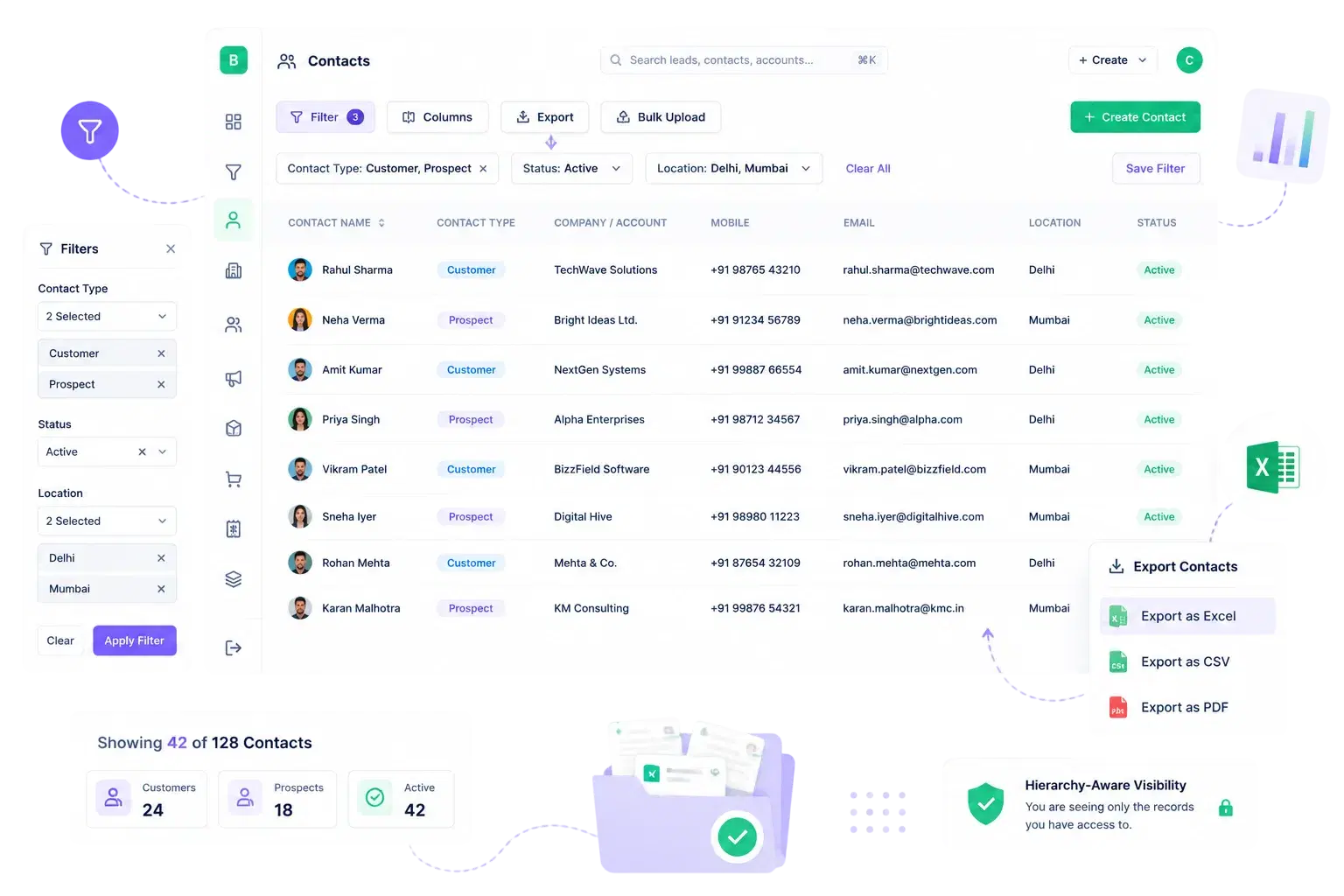
Segmented And Exported Without Ever Leaving The List

Months after import, the list is still as easy to work with — a manager pulls exactly the segment they need in seconds, not a spreadsheet rebuild.

Filter by Contact Type, location or status directly on the listExcel export for offline review or board reportingConsistent filtering pattern across Leads, Contacts and AccountsSegmented lists respect hierarchy-aware visibility automatically
WHY BIZZFIELD

Why Teams Choose BizzField Contact Management

A relationship record that stays classified, connected and current without extra tooling — best practice by default, not by discipline.

Contacts Typed, Not Just StoredSeven Contact Types — Customer, Prospect, Partner, Vendor, Influencer, Internal, Other — keep every relationship classified from the start, not sorted later.
A Real Activity History, Not A GuessThe task-based activity timeline shows exactly what was done and when, so no contact relationship depends on one person's memory.
Bulk Import Without Switching ToolsContacts use the identical Excel import, filter and export tooling as Leads, so your team learns one workflow, not five.
Location-Aware From Region To AreaThe four-level Region, State, City, Area hierarchy tags contacts consistently with Leads and Accounts for real territory visibility.
Hierarchy-Based Visibility Built InContact lists respect your reporting structure automatically, so managers see their team's contacts without manual sharing rules — good access hygiene by construction.
Connected To The Deal, Not SiloedContacts tie directly into Accounts and Opportunities, so a person's record reflects the actual business relationship around them.
WHAT THE MODULE DELIVERS

Structure. Not Guesswork.

What a contact record looks like the moment it's created on BizzField, and every day after.

7Contact Types TrackedCustomer to Vendor, classified from day one
25+CRM Modules, One Recordcontacts connect to the full pipeline
4Currencies Supportedacross every linked opportunity
100%Activity Logged On The Recordno separate tasks screen to check
FAQ

Contact Management — Questions Teams Ask

BizzField classifies every contact as Customer, Prospect, Partner, Vendor, Influencer, Internal or Other, so your team can filter and report by relationship type.

Every contact detail page includes an Activity section showing the chronological history of tasks — subject, type, priority and due date — logged against that contact.

Yes. BizzField supports Excel bulk upload with column mapping and validation, the same workflow used for Leads and Accounts.

Yes. Contact lists respect hierarchy-aware data visibility, so managers see their team's contacts while reps see only the contacts assigned to them.

A Lead is an unqualified inquiry, an Account is the company, and a Contact is the person — Contacts link directly to the Account and Opportunity records they do business through, so the relationship stays connected end to end.

Turn A Name List Into A Real Relationship Record

See how BizzField classifies every contact by type the moment it's created, and keeps a complete activity timeline on the record afterward — with the same bulk import and export tooling your team already uses for Leads.