

ACCOUNT MANAGEMENT
One Company Record. One Timeline From Creation To Close.
BizzField turns every company you sell to into a single structured account — created once, tagged by territory, enriched by every linked contact and opportunity, and closed out only with an audited reason. Nothing about an account's history lives in a side spreadsheet.
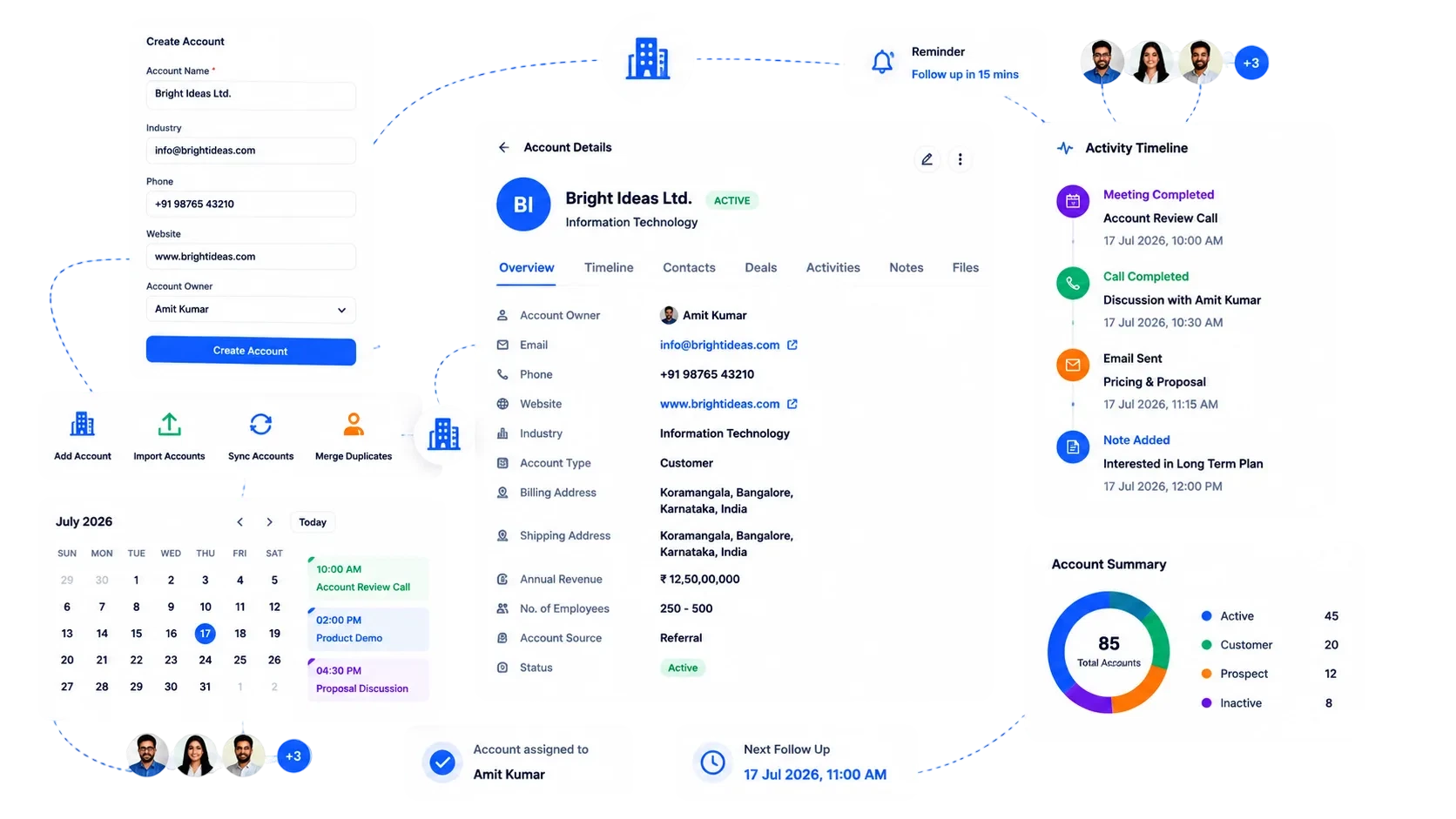
A Company Is More Than A Row In A Sheet.
Without a structured account record, every status change, quote and site visit lives in a different place — or nowhere at all.
One Account, Six Stages, Nothing Skipped
This is the exact path a company record travels on BizzField — from first entry to a fully audited close, or a resumed relationship.
Created
A structured profile opens the record — company details entered once, on a dedicated detail page, not re-typed across a sheet.
1 authoritative record
Territory Tagged
Region, State, City and Area are assigned so the account sits correctly in your sales geography from day one.
4-level tagging
Ownership Assigned
Hierarchy-aware visibility routes the account to the right rep and rolls it up to the right manager automatically.
Role-based access
Linked & Engaged
Contacts, Opportunities and Quotations attach to the record, and every call, visit and follow-up lands on its activity timeline.
1 linked timeline
Deactivated (If Needed)
Closing the relationship is a deliberate action, gated by a mandatory remark of up to 5,000 characters logged against the record.
5,000-char remark
Reactivated Or Retained
History never resets — a dormant account keeps its full timeline, contacts and opportunities if the relationship resumes later.
Full history kept
How BizzField Account Management Works
One authoritative profile per company, a deliberate audit trail on every status change, and a single timeline of everything that happened.
One Authoritative Record, Not Scattered Notes
A Structured Profile For Every Company You Sell To
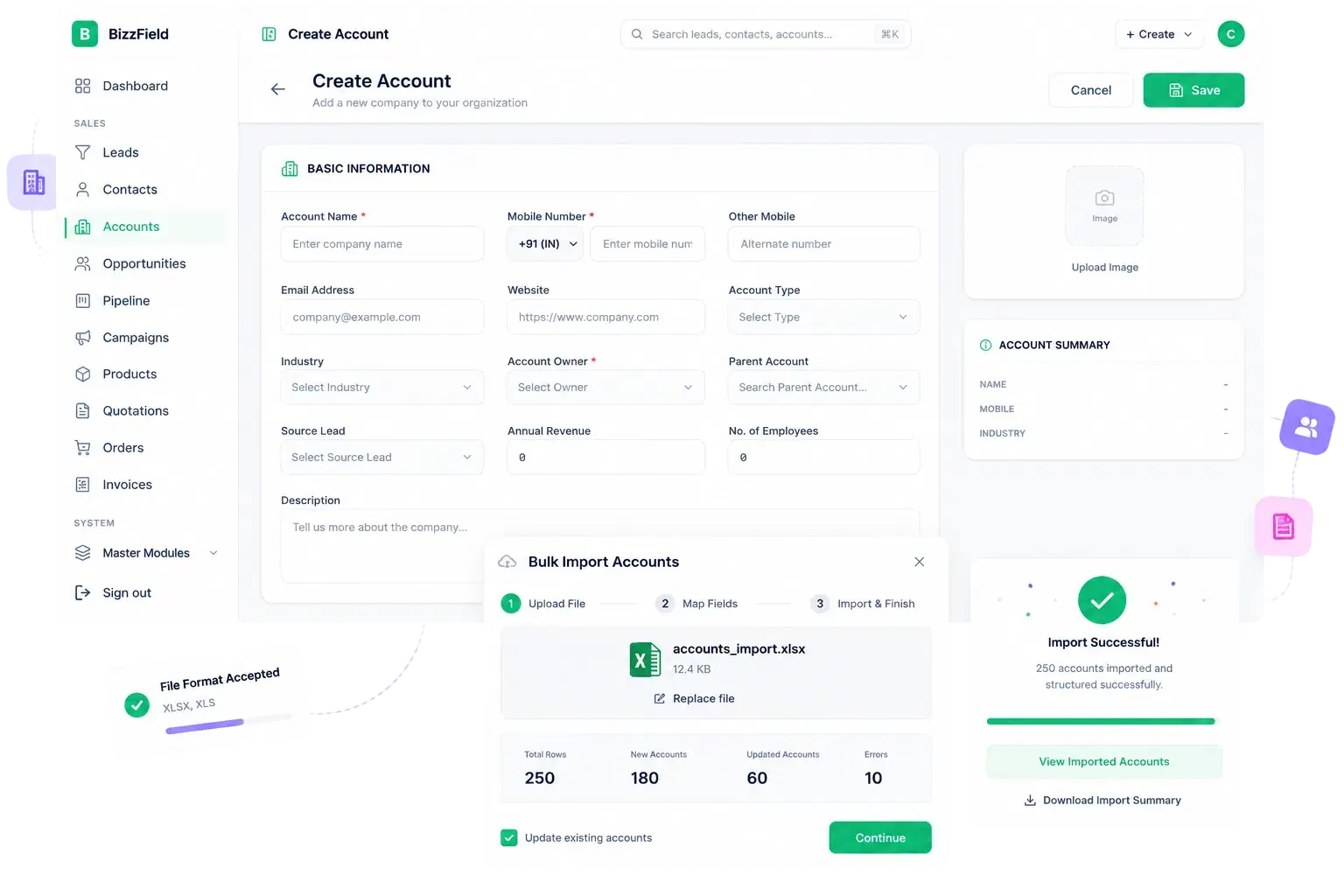
No more scattered notes or duplicate spreadsheets — each account has one authoritative record, on its own detail page.
A Deliberate, Logged Action
Activate And Deactivate With A Real Audit Trail

Closing or pausing an account relationship is a deliberate, logged action, not a silent status flip.
Instant Context Before The Next Call
One Timeline, Every Interaction
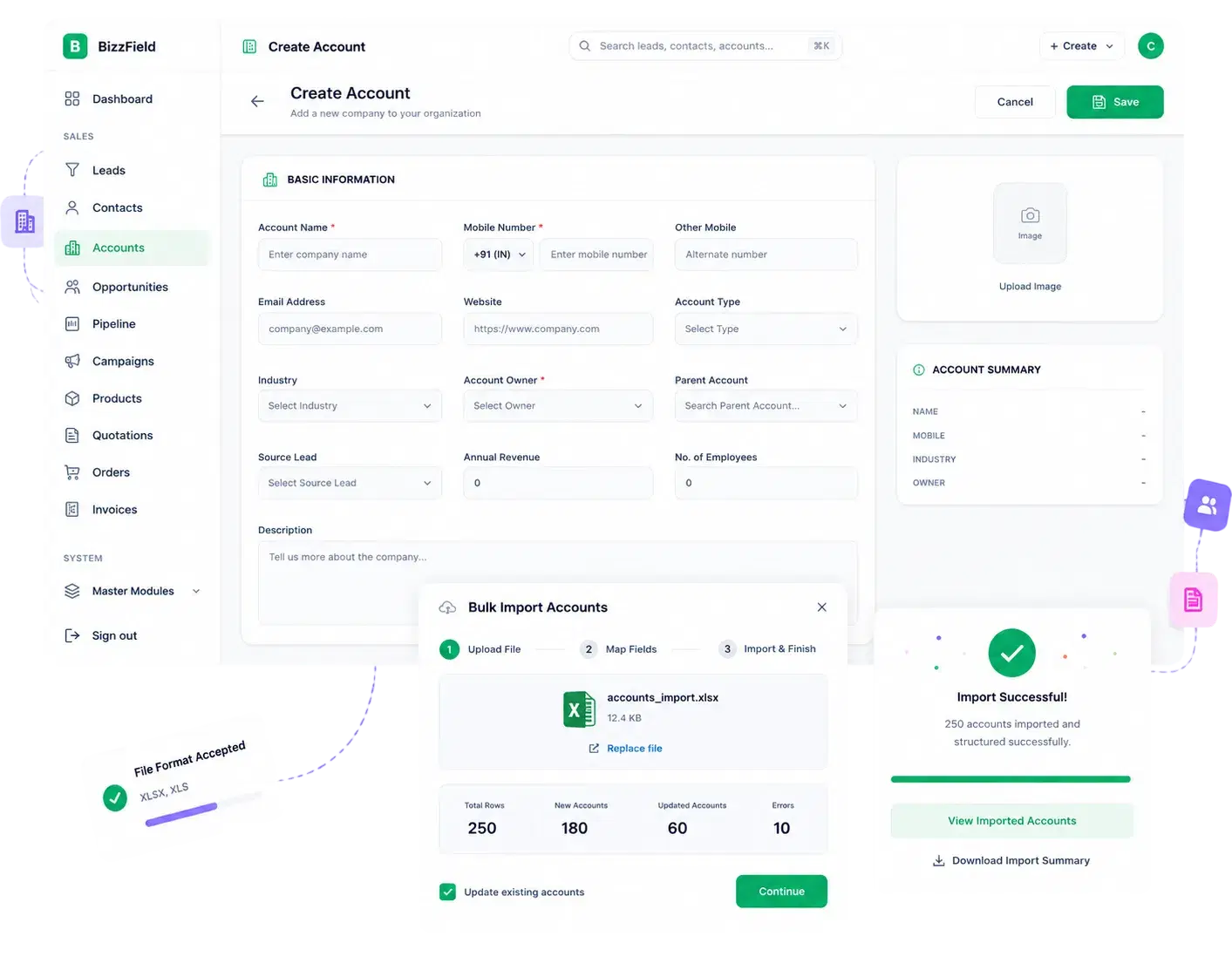
Everything logged against the account — calls, visits, follow-ups — lands on a single chronological feed.
Not A Flat, Unrestricted List
Visibility That Matches Your Sales Org
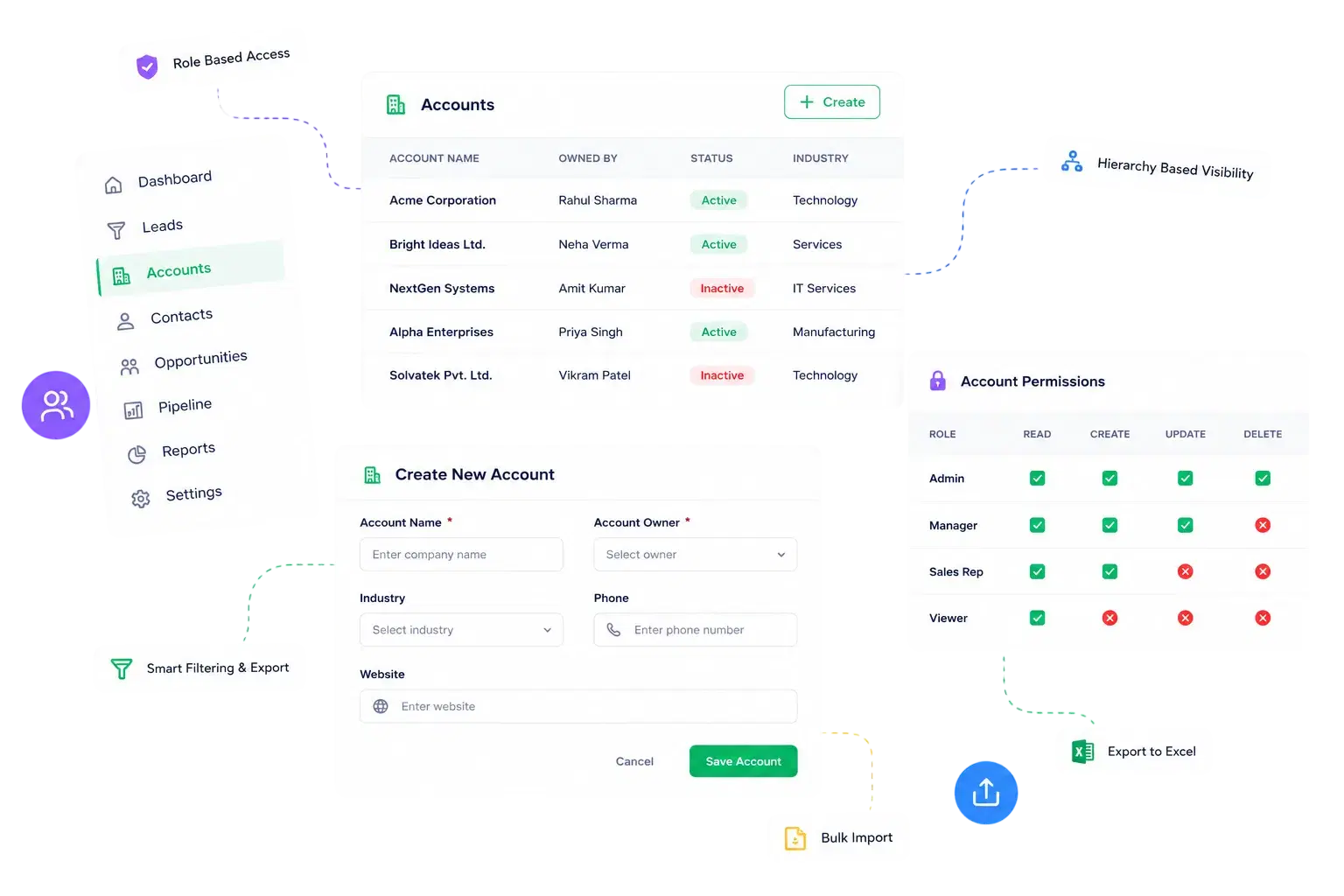
Every rep and manager sees exactly the accounts their role and hierarchy allow.
Why Teams Choose BizzField Account Management
A company record that stays consistent, auditable and connected to the rest of the pipeline.
Structure. Not A Spreadsheet.
What an account record looks like on BizzField from creation to close.
Account Management — Questions Teams Ask
Deactivating an account requires a written remark explaining why, which is stored against the record for future reference and audit purposes.
Yes. Accounts support Excel bulk upload with validation and error reporting, consistent with Leads and Contacts.
Yes. Contacts, Opportunities and Quotations all trace back to the same Account record, so a company's full pipeline is visible from one detail page.
Yes. Account lists apply hierarchy-aware visibility automatically, with independent Read, Create, Update and Delete permissions per role.
Nothing is lost. Deactivating an account only pauses its status — the full activity timeline, contacts and linked opportunities stay attached, so reactivating it picks up exactly where the relationship left off.
Whoever your hierarchy says should. Reps see their own accounts, managers see their team's rollup automatically, and Read, Create, Update and Delete permissions are set independently per role for the Account module.
Give Every Company You Sell To A Real Record
See how BizzField turns a spreadsheet row into a structured account that tracks its own lifecycle — from creation and territory tagging to an audited deactivation, with one activity timeline throughout.